Details:
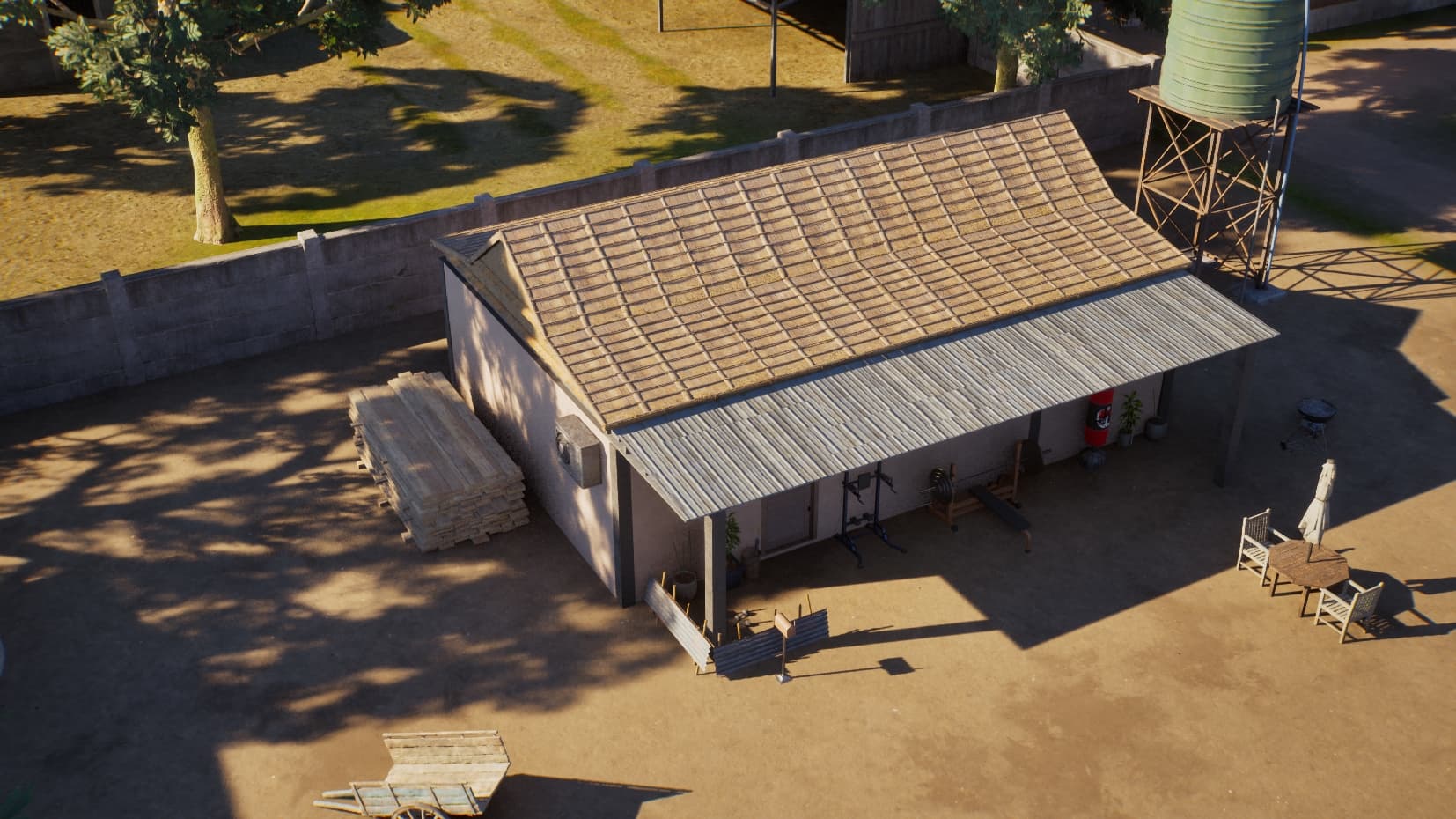
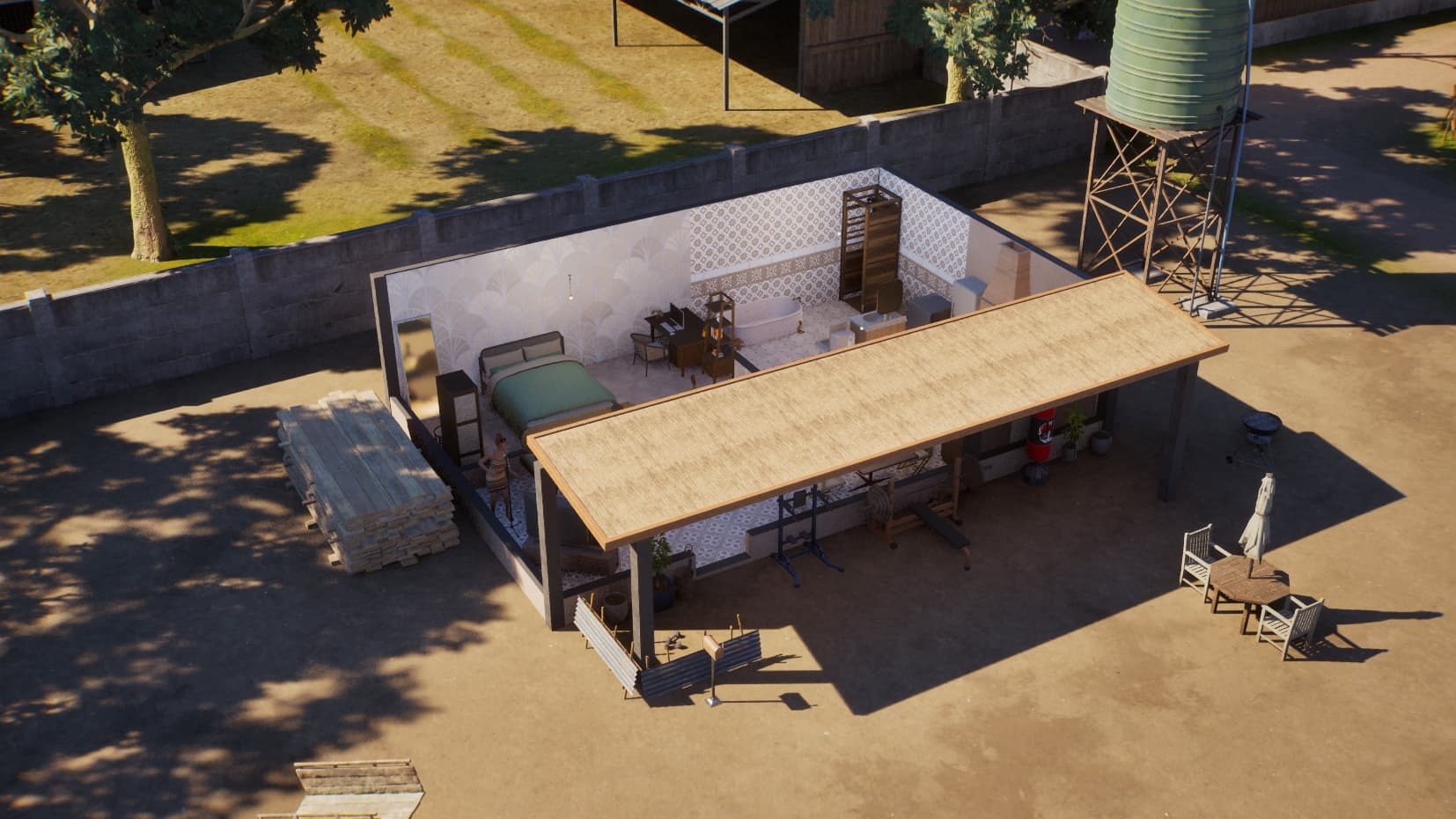
When replacing a roof or part of a roof, the new roof will sometimes get ‘stuck’ on screen so that it’s always visible, even on the lowest floor with all walls cut away (see screenshot below). You can still move, delete it etc., but there’s no way to stop it from showing up without deleting it altogether. I’m not sure what causes this, but it’s happened to me now with 3 different families in different cities, so it’s definitely not just one particular save.
It’s not such a big issue for small side buildings like this one, but if it’s a large roof on a main building, it makes gameplay almost impossible as you can’t see anything underneath. The only option is to reload a save to get the original roof back.
I haven’t seen any response to this, so I’ll suggest a way to reproduce it: The following screenshot shows the cheapest preset house available in Cahaya, placed on the Senyap property. I’ve replaced the main roof, but not the part covering the porch (the part that looks like corrugated iron).
I think this happens because the house and the rest of the lot (with the roof that’s still visible) are not on one level.
A workaround (until it gets hopefully fixed) could be to build the roof on a platform that’s on the same hight level as the house, so it’s a little bit less frustrating
I think you’re right about the cause - in the example given, the main roof was standing on a platform whereas the porch roof wasn’t. However, even removing the platform altogether didn’t reliably fix the issue unless I used exactly the same type of roof for the porch area, and lined it up perfectly with the main part. At least it’s working now, so thanks for your suggestion!
Ah, I thought rather put a platform under the patio roof than removing the platform of the house. It would have connected the house and the patio levels so the roofs are on one kevel and you could have lowered them all together. Do you still have floor in the house then?
The platform was on top of the house, under the main part of the roof (but not the porch part). I got rid of the platform and re-did both the roof parts. I tried putting a platform under the porch roof as well, but I couldn’t get it to work.
Off-topic, but how do you get your roofs to clip like that? I can’t even get roof sections to touch each other (even using Alt), so there are annoying gaps between them.
My Cahaya build is on a similar floor plan to your images, and I have had to use 3 separate roofs, and they are far TOO separate lol!
They should all be on the same level as I built the whole house on one platform - much like the house in your image. All the roofs are the same type, but none can be clipped through each other or even placed exactly adjacent - as I say, there is a gap which looks kind of ugly.
Hi @Liessahl.
Glad to hear that it’s working now!
Just to note — when the roof is generated, please make sure it’s placed on the second floor (upper floor). This will ensure the roof to disappear correctly when it should.
Since it is working now, I will close this thread.
If you need other help, don’t hesitate to create a new thread. Thank you.




 Known Issues

