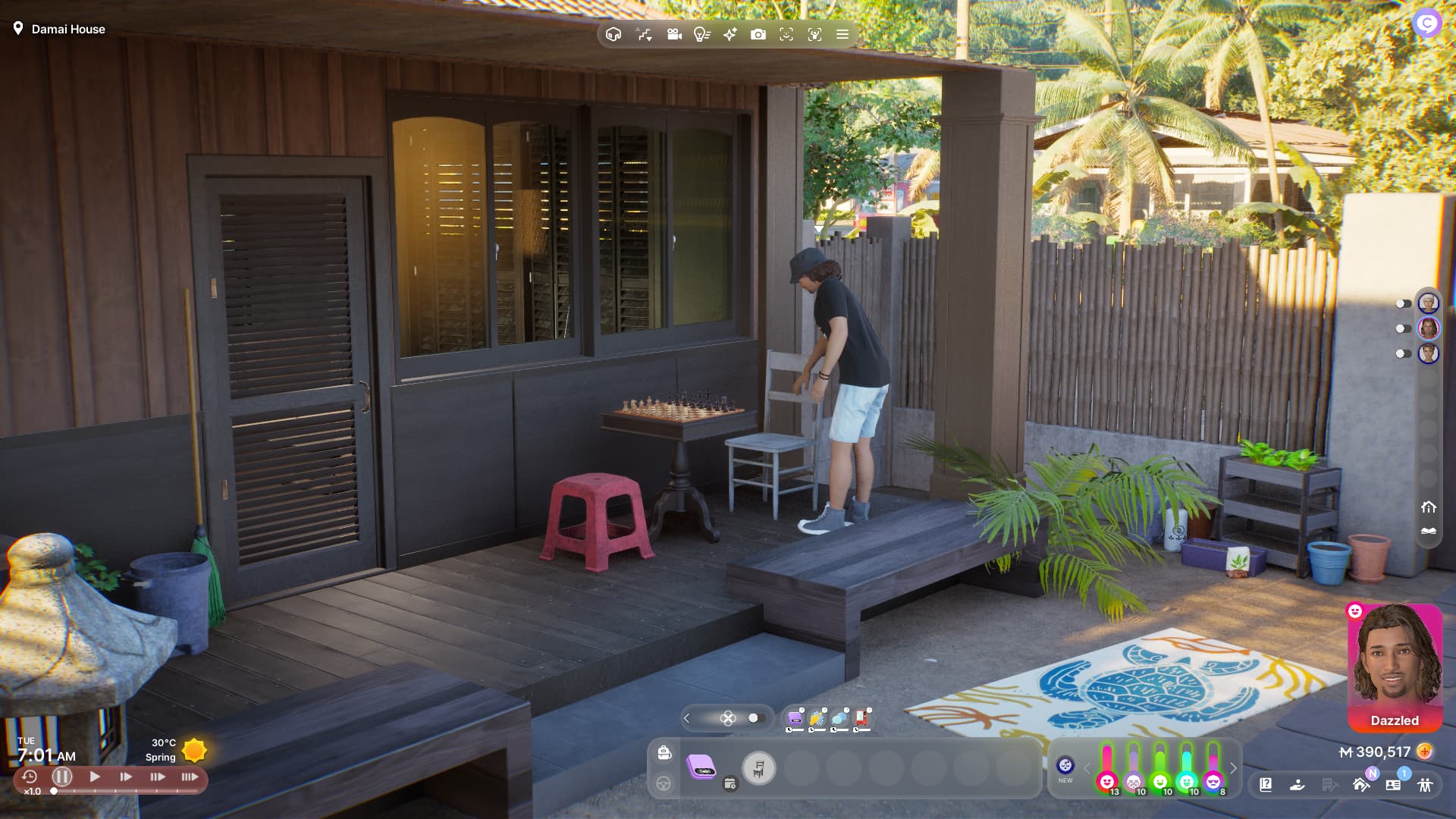
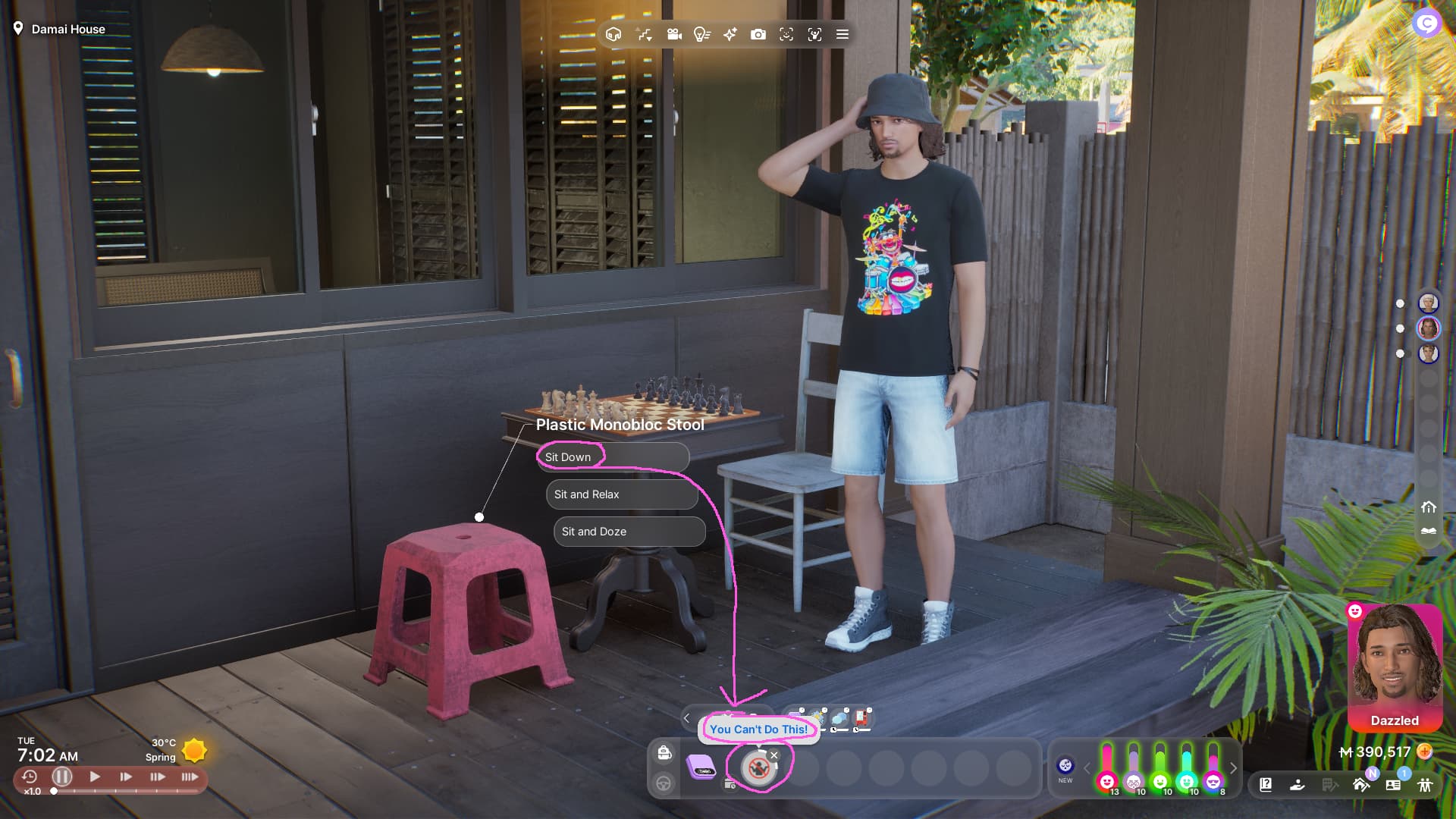
Unfortunately, chairs are only accessable from one side, which makes it impossible to sit on some of them when they are placed near walls or other objects.
Our patio is small, so sadly, we can’t play chess there because we had to place the chess table with chairs next to the wall. So no one can sit on the red stool, even though there is enough place
Jack can just not access the stool from the ‘right’ side.
I had this issue often and I’ve cracked it.
Move the table 1-2 squares off the wall and it will work,
I had the same problem with tarot card reading too.
The underlying problem is that the game only has one animation of a Zoi pulling out the chair and sitting down so it only works from one side. This could be fixed in a couple of ways:
Create a second animation for Zois to use when they are routed to the “wrong” side of the chair, with the code deciding which animation to use depending on where it decided to route the Zoi.
Instead of actually creating a second animation, “flip” the existing one horizontally on the axis going through the Zoi (the front to back axis, whatever it is). Unknown if the game’s animation playback system is detailed enough to support that sort of mirroring, but it’s a fairly common feature.
@Klinn , nice thinking, although these suggestions pose other difficulties, so may not be taken up on priority.
Two animations for the same end result usually need several additional algorithms to resolve the required action impacting overall computing speed, and cross checking this logic such that it does not impact other actions. So why complicate something that is currently working well enough?
Mirroring Zois won’t always work with hair styles, other objects held in hands, other surfaces creating obstruction (for example a shoulder strap handbag hanging on one side)
When I mentioned “mirroring” I’m talking about mirroring just the animation used, not the Zoi itself.
In almost all cases, animations are defined as movements & rotations of the joints of the underlying “skeleton” within the character. Those movements are along the three axes of the coordinate system. So mirroring or flipping an animation is simply inverting the values of one particular axis.
Coordinate systems can be set up in several ways and I don’t know what Unreal typically uses, but let’s say the X axis for a character runs across them, like from one shoulder to the other. If an animation specifies moving a leg joint 5 units to the right along that X axis, we can just negate that to -5 units and the leg will be carrying out the same action but to the left. Any movement along the Y and Z axes are not changed. That’s the basics of mirroring along a specific axis, although I’m ignoring the need to respect the bilateral symmetry of the skeleton .
The code to do all that for each joint is within the animation system, so all we have to do is say “mirror the animation on the X axis” and it takes care of the details. Then it moves on to the next frame of the animation. There are other considerations in terms the coordinate system used, normally a “local” coordinate system is used for this sort of thing versus the “global” coordinate system used for the world these character inhabit, but that’s another subject.
This many sound like a lot of code and overhead for the game to chew through, and in a sense it is, but this is what is happening under the hood of almost any any game you play.
I’ve glossed over lots of details but I hope this wasn’t too confusing! Cheers.



 Cheers.