Please include all effects in the ‘HideCatEye’ cheat or give us the option to turn them completely off so they are not visible in live, photo and build mode.
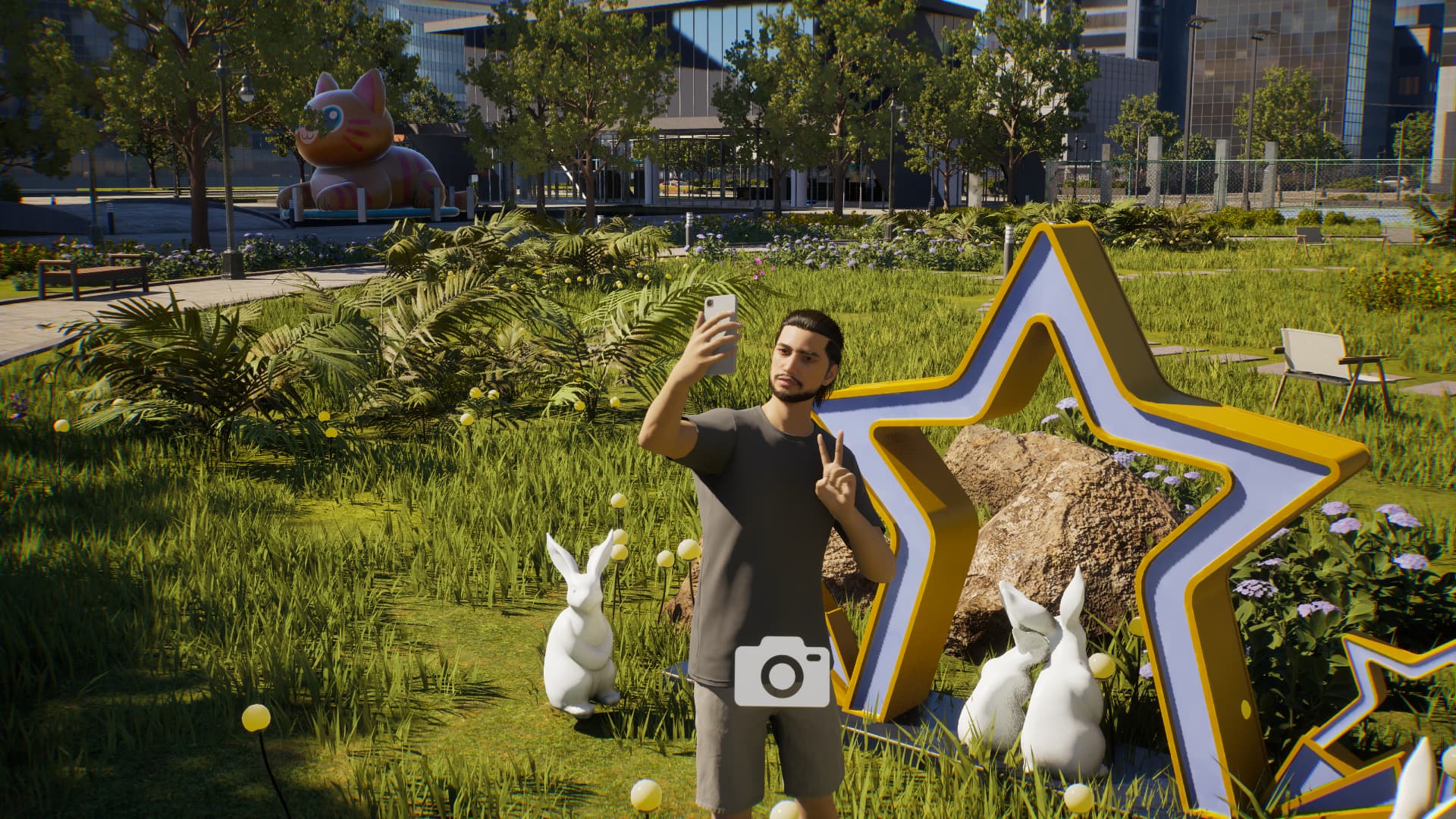
For example the camera icon, it’s even there in photo mode and so annoying
Couldn’t agree more! Those icons have ruined way more great screenshots than I can count. I think using an existing cheat like the one you mention, or adding an extra cheat like “HideAllEffects” would be sufficient.
And, since the update, ALT now shows all the locations, but I already got so used to take screenshots with the ALT+F1 combo from NVIDIA and ALT is also the key to move objects freely in Buildmode, so I’d like to turn this off too (or an option to bind this to another key)
Good News!
(Kjun just mentioned it on discord)
If this annoys you too, make sure to leave your feedback on discord.
(You can also just leave a reaction )
Quote
Reducing Visual Clutter You requested the option to turn off visual effects such as the white outline that appears on mouse-over, various icons, mood effects, and lock/key indicators — as these can interfere with immersion and screenshot composition. This has been a frequent request, and we’re raising its development priority. We’re considering an option where “Hide UI” would also hide all visual overlays and indicators. Would that approach work for you?
Yes, I will register my vote for this on Discord (if I can find it) though I can’t access it on this pc. The few mods I use remove outlines, head markers, etc which I find immersion breaking and IMO just clutter the screen.
The location icons very rarely appear on screen for me, must be something to do with the camera angles I use when playing, I barely see them.
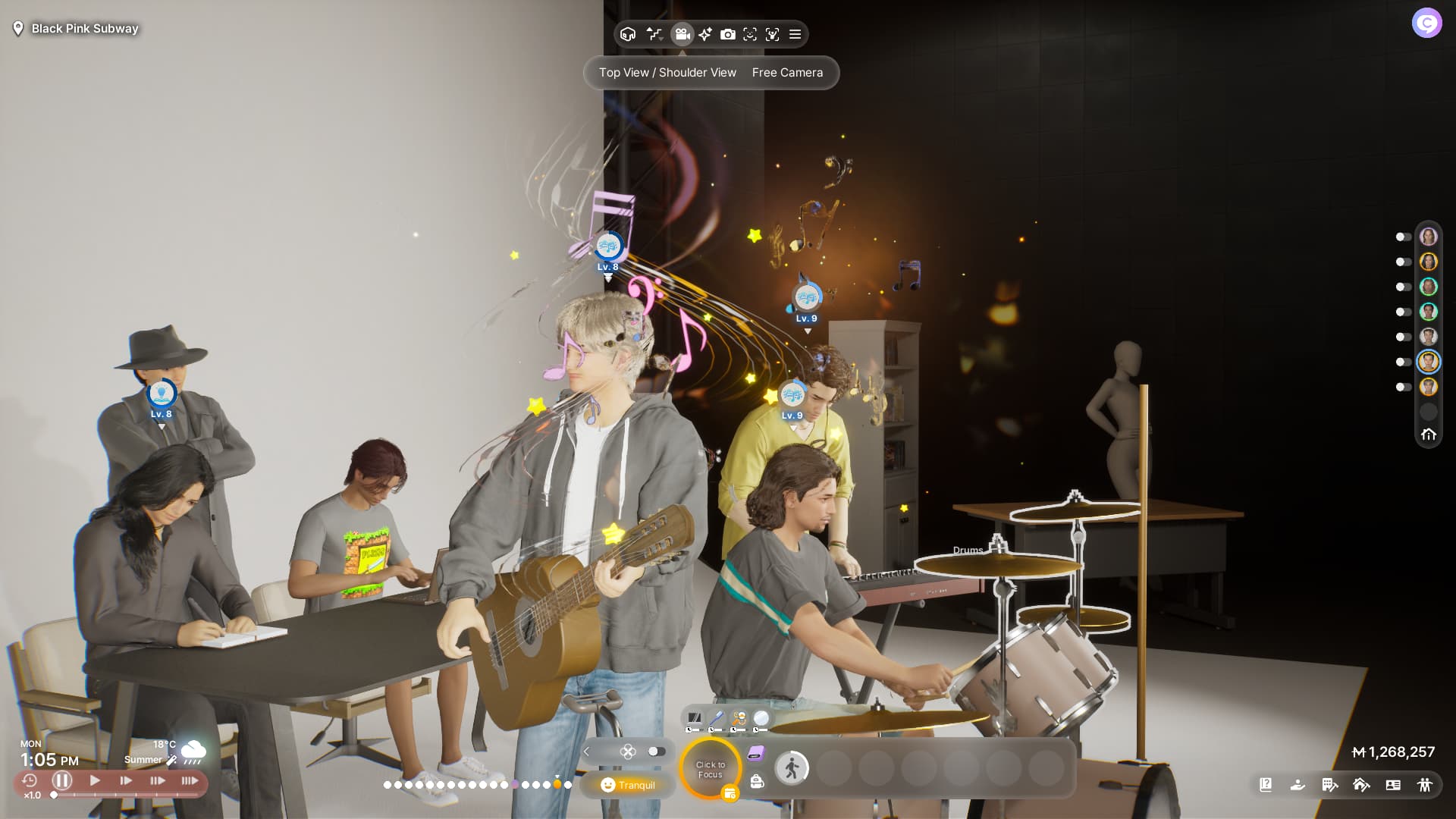
I just noticed the active Zoi’s ‘visual music clutter’ already gets removed in photo mode, I really hope this also counts for the non-active zois after the update ö.ö
Can’t wait to finally take proper photos.
Hello, I don’t know if I put this here but I’ve notice some YouTuber who seem disrespected with roleplaying may not notice their Zois are hungry or need to use the bathroom. I think it would a good idea when a Zoi really needs to use the bathroom or eat, there should be a thought like or
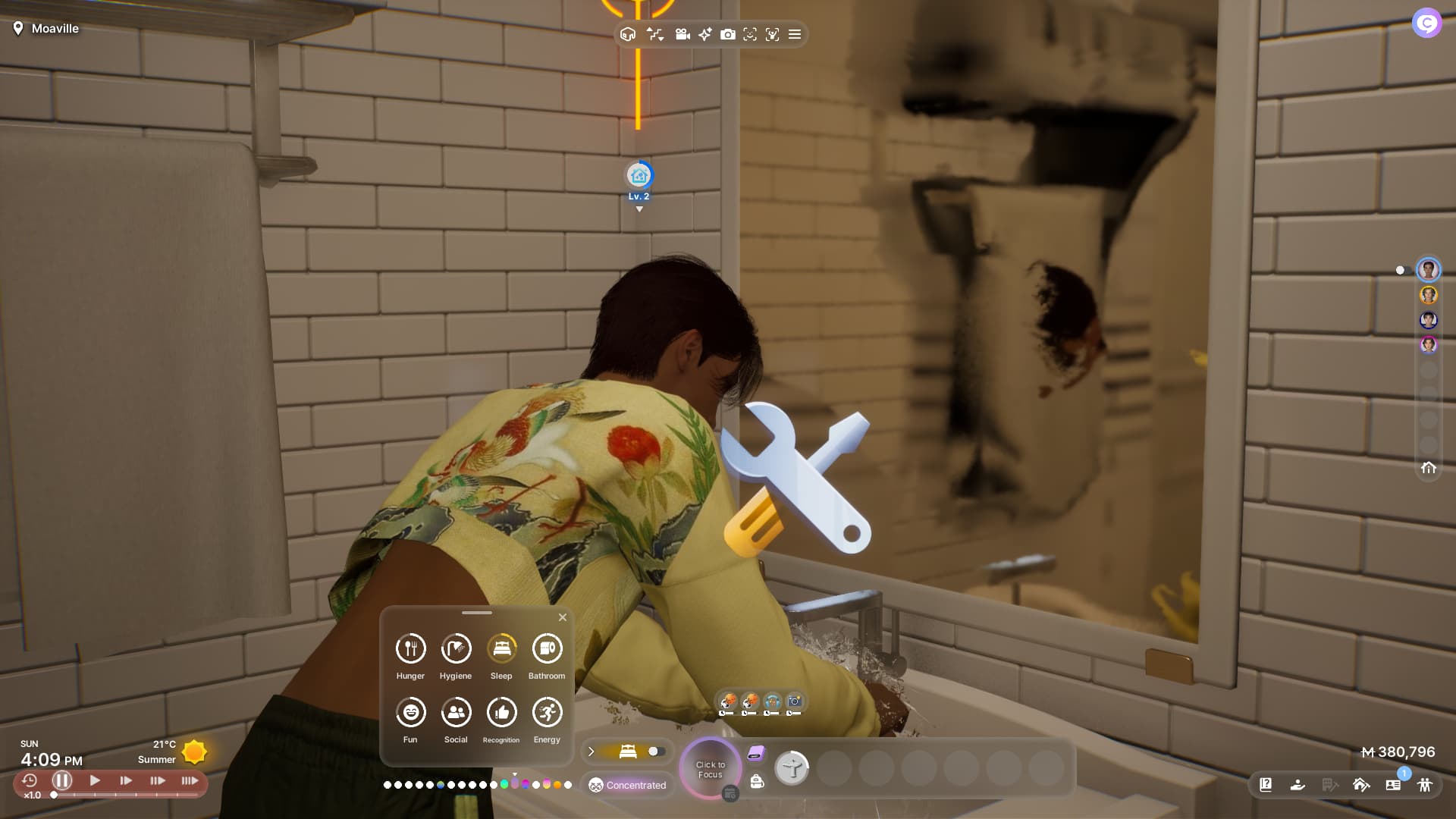
As if the screen wasn’t already cluttered enough ö.ö
I really hope I can turn all this stuff off entirely.
And those who really need it can have the option to keep it.
It just really keeps me from diving into gameplay and the world and breaks the immersion of the life simulation.
I’d like to return to this topic. I really want the ability to hide music icons, labels above heads, and so on in life mode as well. Right in the settings, without having to press any keys for it. Because we have a panel to determine needs where everything is visible, and I often don’t want to see the “speech bubbles” and reactions—it’s easy enough to understand what the conversation is about from the sequence of actions, and whether the conversation outcome is positive or negative.
And, of course, Sims should not be “transparent” to other characters’ indicators. Here I selected a child and asked the father to pick them up. As you can see, the camera dropped to floor level with the child, and the father has a completely out-of-place icon shining through their body.



 )
)

 or
or 
