Game Version: 20250902.7159.W
Platform: Steam windows
Mods: Pre-0.20 Small Talk Fix
If you have used mods before, please list them:
Hardware Specifications & Operating System (OS version, CPU, GPU, RAM, storage…):
Windows 10 Professional / 22H2 / 19045.6216
13th Gen Intel(R) Core i9-13900KF 3.00 GHz
NVIDIA GeForce RTX 4070 Ti
192 Gb Ram, 4TB NVmE with 2.2tb left.Issue Date: 2025.09.06
Error Message: N/A
Details:
Some Interior lights are very VERY weak now.I loaded up an old creation of mine for a new game in Bliss Bay.
The creation is using ceiling lights called “Mosaic Ceiling Lighting”
It’s at least 50% dimmer than it used to, and is set at 100% strength.This is a major impact to me as most of my creations use that as a lighting choice. Please make them shine very bright like before, since we can reduce illumination with the % slider but not increase it over 100%. Or allow illumination power to exceed 100% if we want to.
Thank you !
not only Mosaic Ceiling Lighting but all lighting became dim
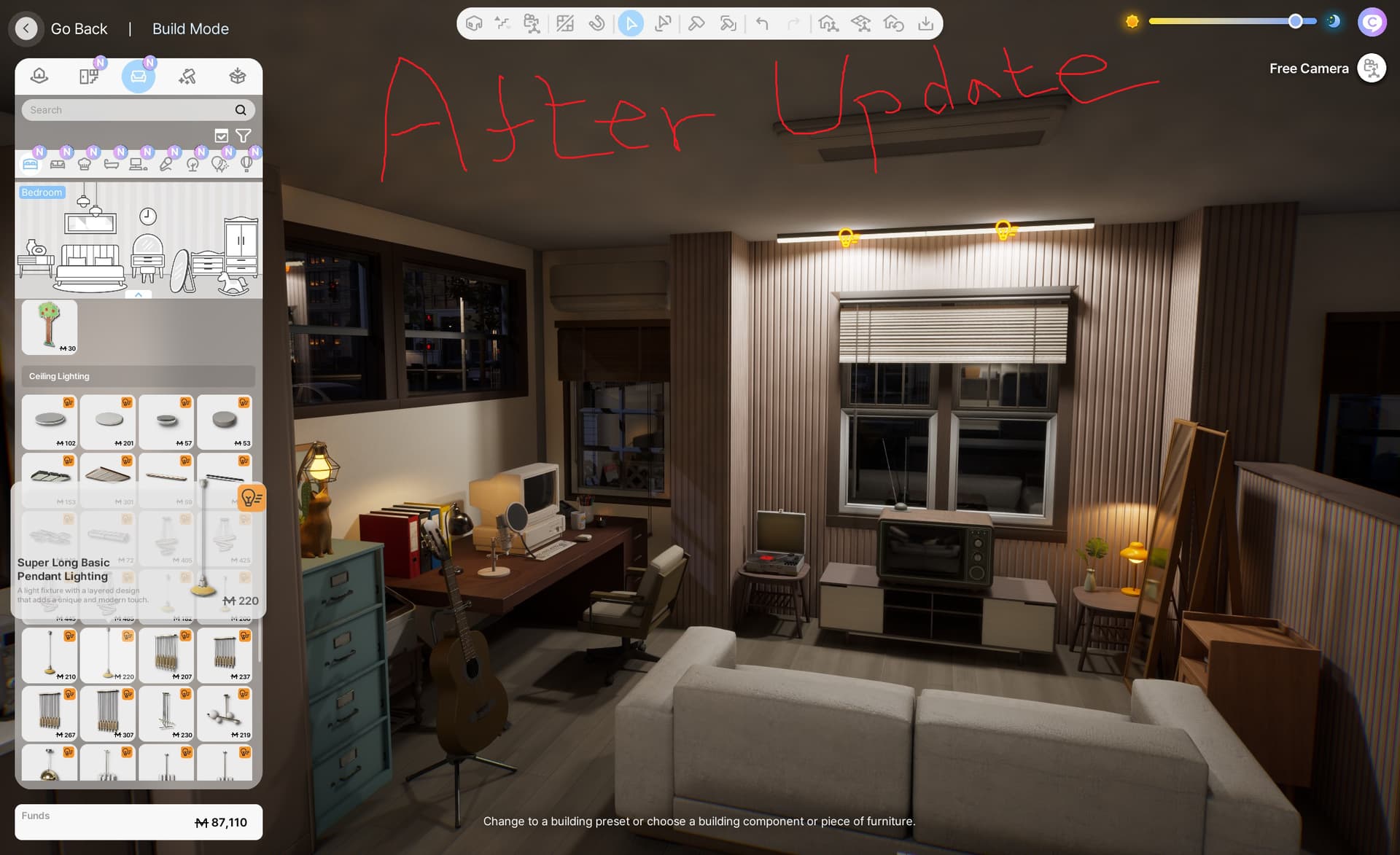
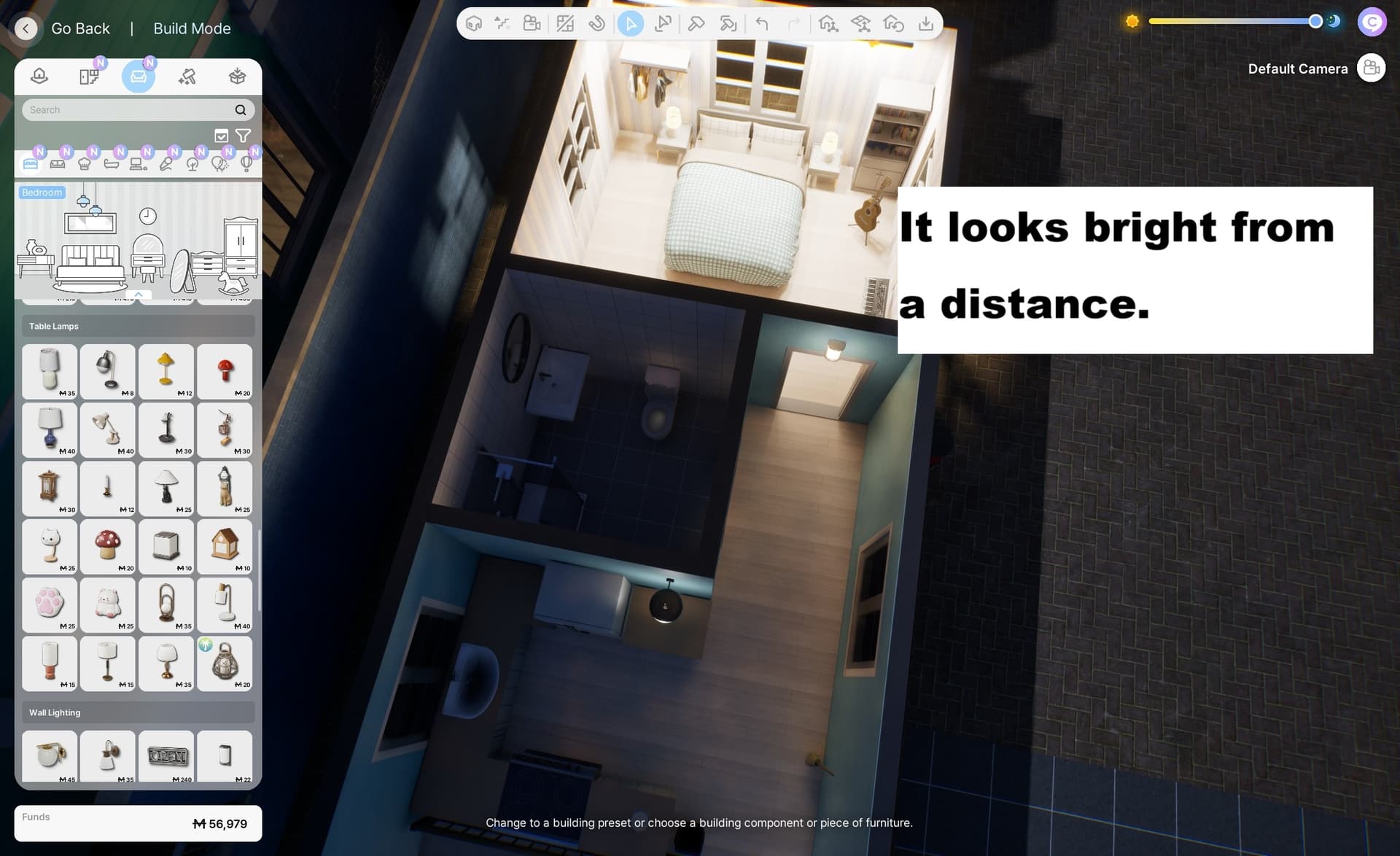
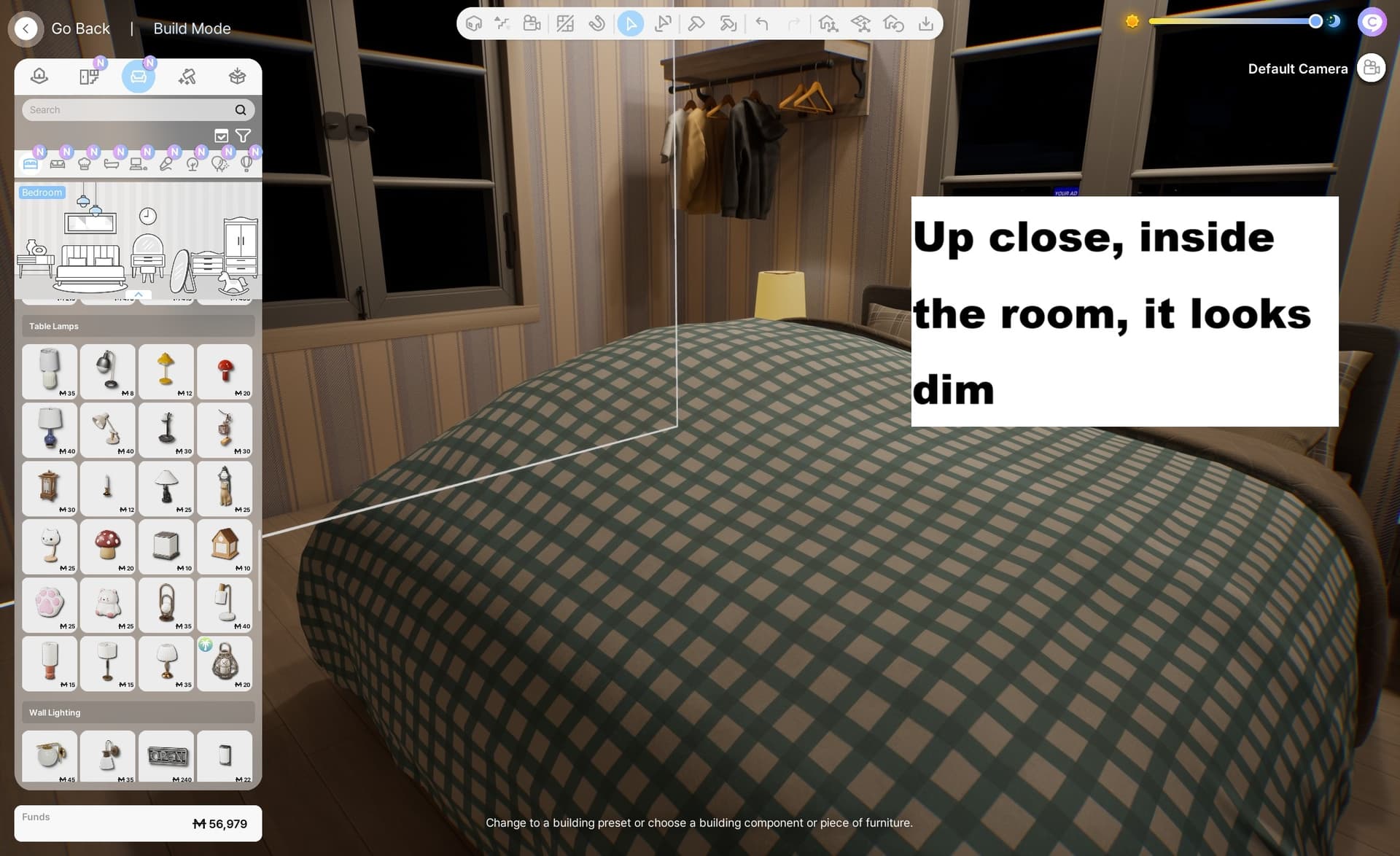
I compared with the photos I took before, and I was surprised at how dim it looked now. The problem is, no matter how many lights I install, the room still doesn’t feel bright. It looks bright from a distance, but once you step inside room, it’s still gloomy
This! I have observed the same. If each light had more power then we wouldn’t need to use so much to try to brighten a room up because they leave dark shadows at the top of the walls
This exactly.
The only way I have found to make the room brighter, is to install the starry ceiling with those birds/stars. OR ironically make the floor pitch black seemed to help (but both solutions are bad, of course).
Glad to hear I am not the only one.
Someone else did post a bug about this before, but they deleted their post content without giving any info of if they fixed it, and if so how.
Hopefully we get it addressed eventually.
what is the starry ceiling? a texture?
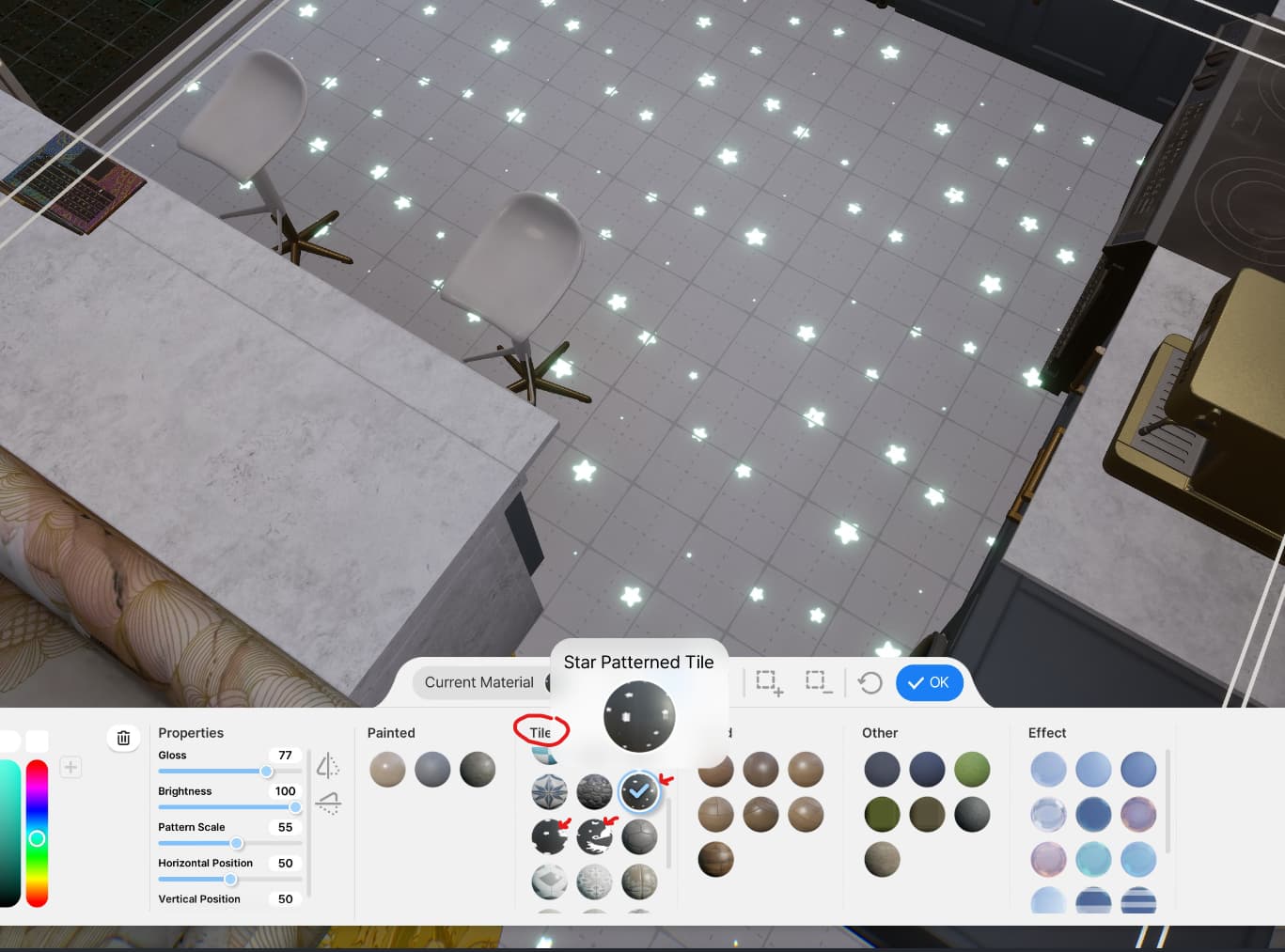
I will check it out, thank you. i do really hope they fix the light brightness issue
Hi everyone (@here),
To help us understand the issue better, could you provide us comparison screenshots of the lighting issue?
Thank you in advance!
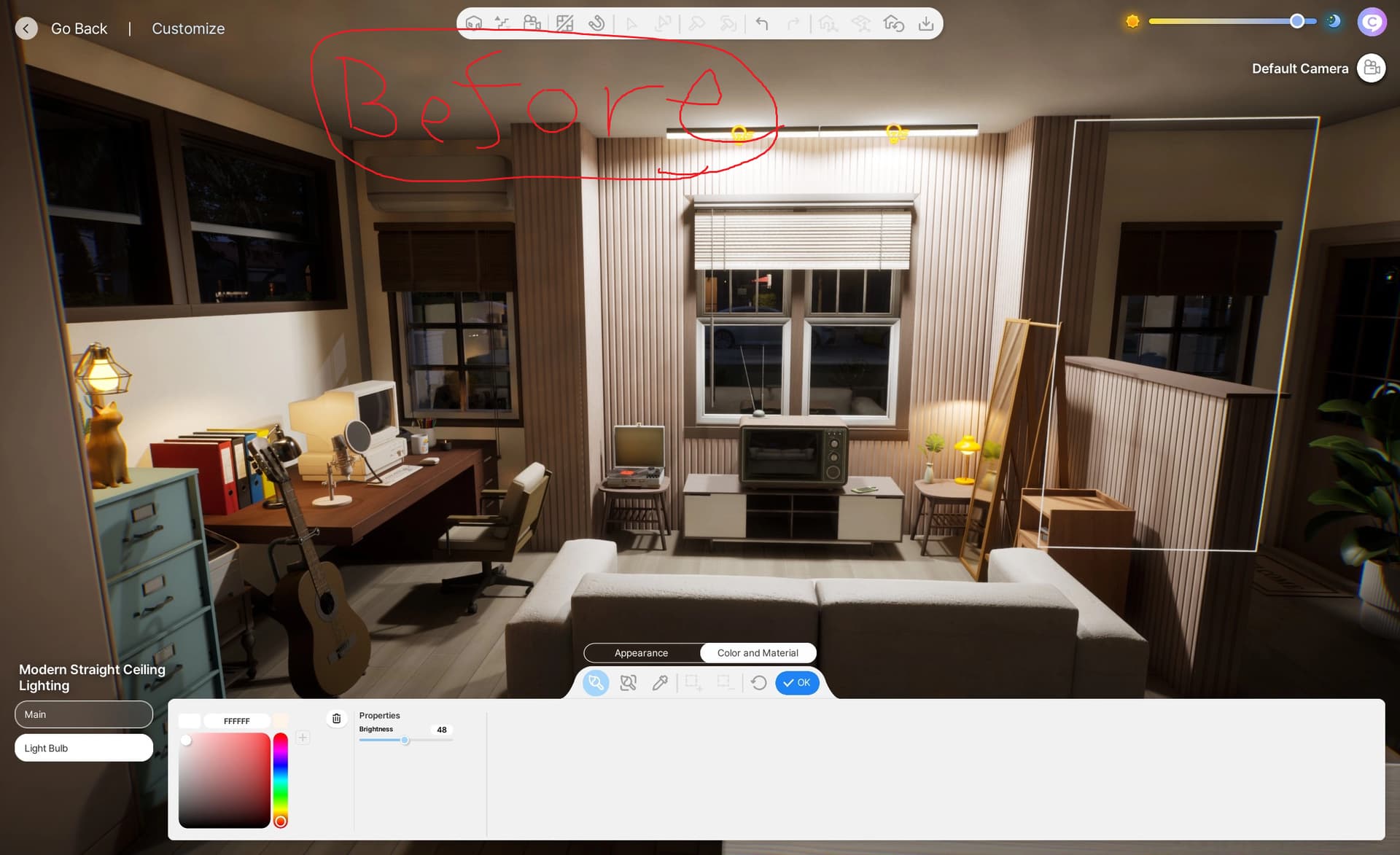
I have only recent screenshots, I don’t have any from before the patch (and obviously I cannot run the game pre-0.30)…. However :
Zoomed out view, you can see it looks very bright, and how it used to look zoomed-in, I even had to set lights manually at 75% or less depending on room…

But once you Zoom in, this is the same lights and how dim it becomes :
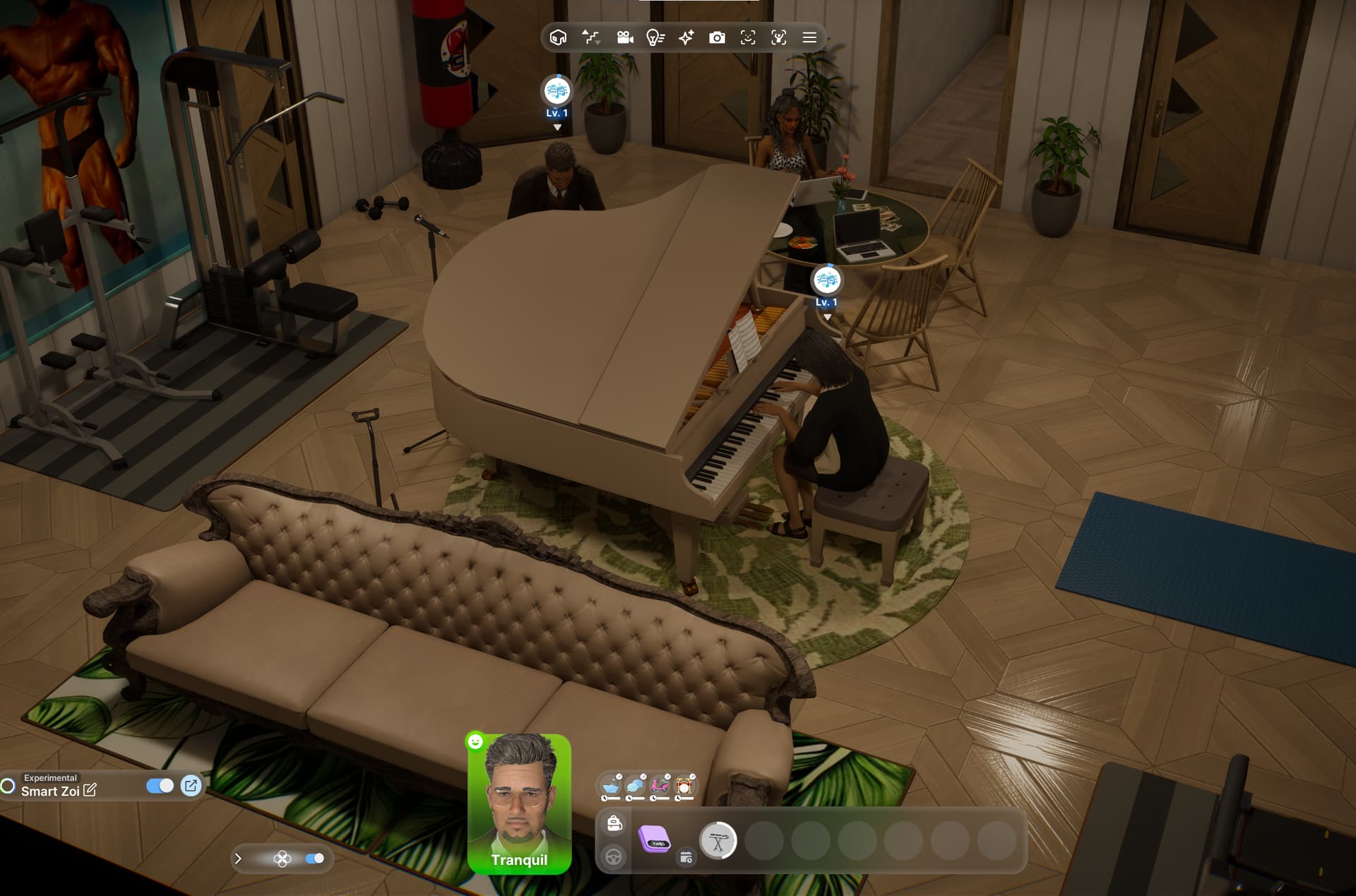
Adding more lights changes nothing. Originally I had 2, I doubled them to 4, just as dark.
Also lights are set at 100% intensity, just so it is clear 
For example, the living room of my zois home is has a high ceiling (mezzanine style (see first pic)) and I am using those ceiling spot lights and the long chandelier on the second floor that overlooks the living room (see 2nd and 3rd pic). In the actual living room there are floor and wall lights as well in an attempt to brighten the room up. All lighting are at 100% intensity (I made sure off that) but at night when all the lights are on the room is still very dark and shadows are cast at the top of the wall (last 2 pics). It looks ok when you look at it from above (4th pic) and when you are in the room itself its dark.

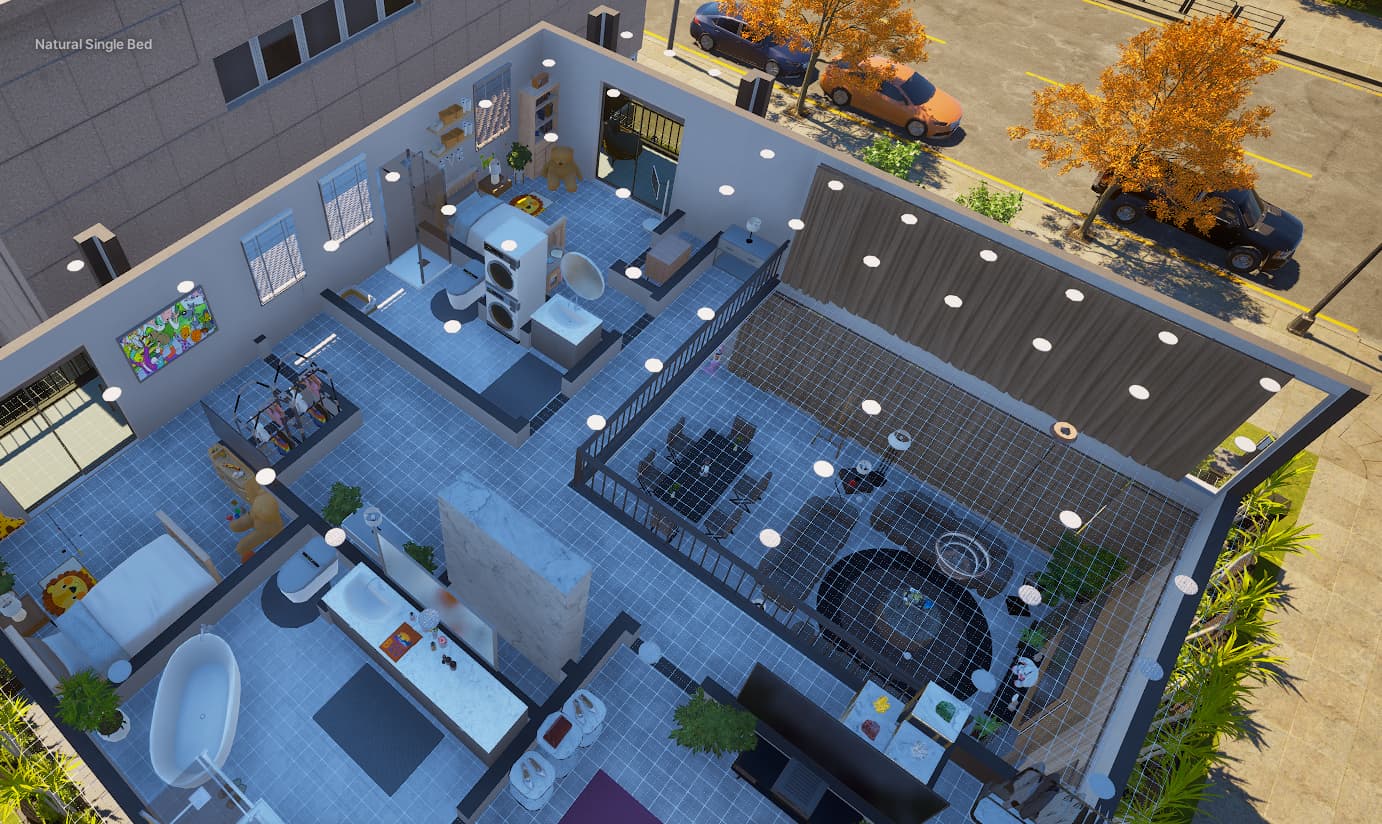
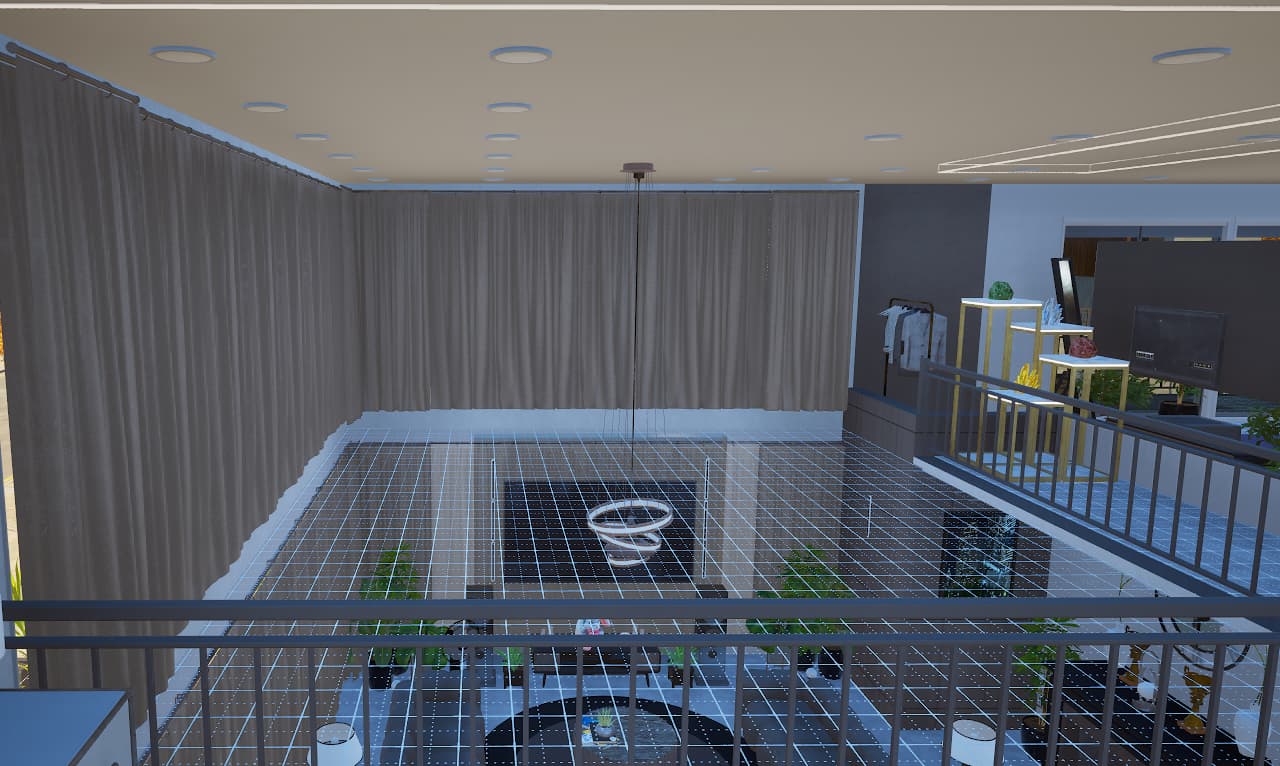


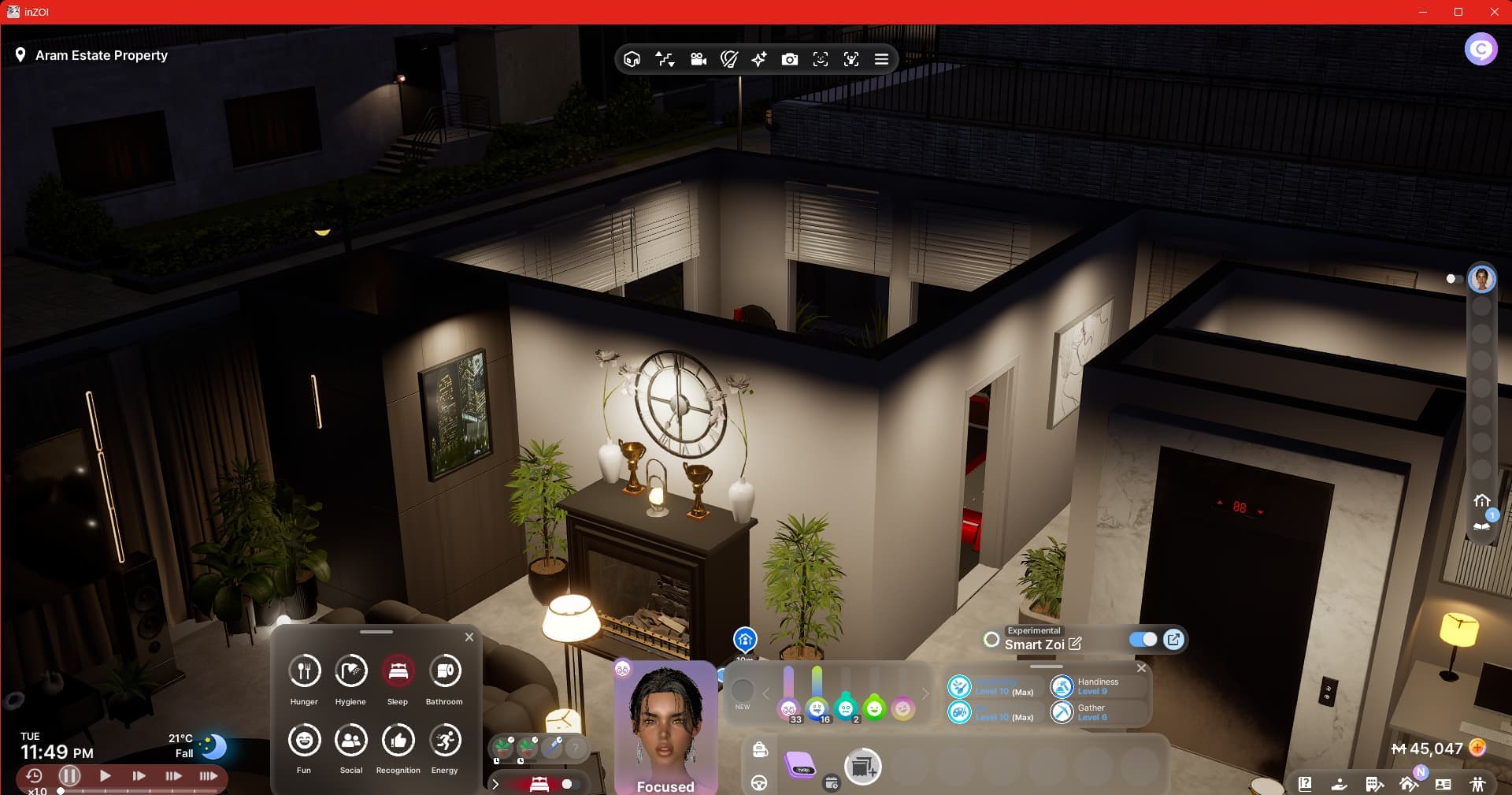
I don’t notice a difference.
For example, the ceiling light in the pic below, I set the brightness to 0 (zero) before the update.
It was bright and it still is. Too bright for zero brightness, that is ^^’
I even dimmed the light color and it does not much.
I’d rather have the lights even less bright.


I haven’t noticed any difference in the lighting either, but tbf I have started new games and been playing different households in new houses so that might account for it.
Off-topic, I like your build of Dowon Villa (I think it is?)
(If you mean the pics in the post above(?) Thank you! It’s the Metro House in the center of Dowon.
If not nvm ^^’)
If they fix max lights, then zero light should stay zero, of course.
I dont care about 0%, I care about 50-100% so we can make it brighter.
As said I went from 2 to 4 lights at 100% and it’s super dim still.
I did, sorry I meant to reply directly which would have been clearer! I never used that house yet, so not sure what it looks like in vanilla form. Pretty sure you improved on it, though!
(post deleted by author)
I’ve noticed that too, especially with the shadows and ‘grainyness’
Made a post about it → here
You can’t really tell just by looking casually. But if you set up separate folders for the old and new versions of the game, switch between them, take screenshots, and compare, you can clearly see that the graphics have changed.
And unless you compare them with the highest settings, you won’t really notice the difference
That’s why people say things like “I don’t really notice anything.”
I didn’t notice it at first either. But when I compared it with some screenshots I had taken earlier and especially after figuring out how to download the older version of the game , I found out graphics had definitely changed.


