Details: Please share the date, error message, or screenshots/videos for issue verification.
since the last update, my zois get teleported far away from home when I change sth in build mode. Sometimes all of them, sometime only one or two.
Example:
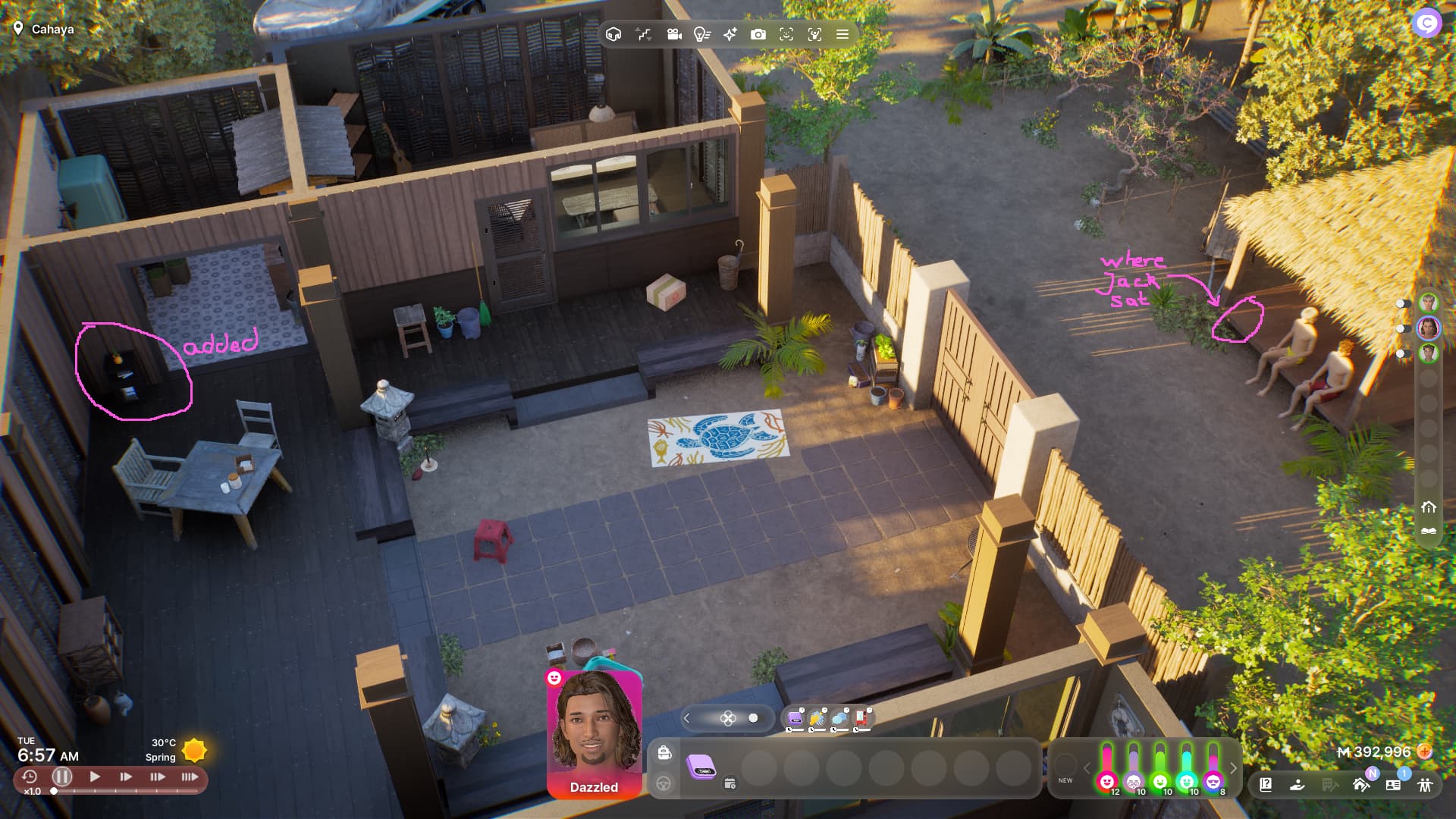
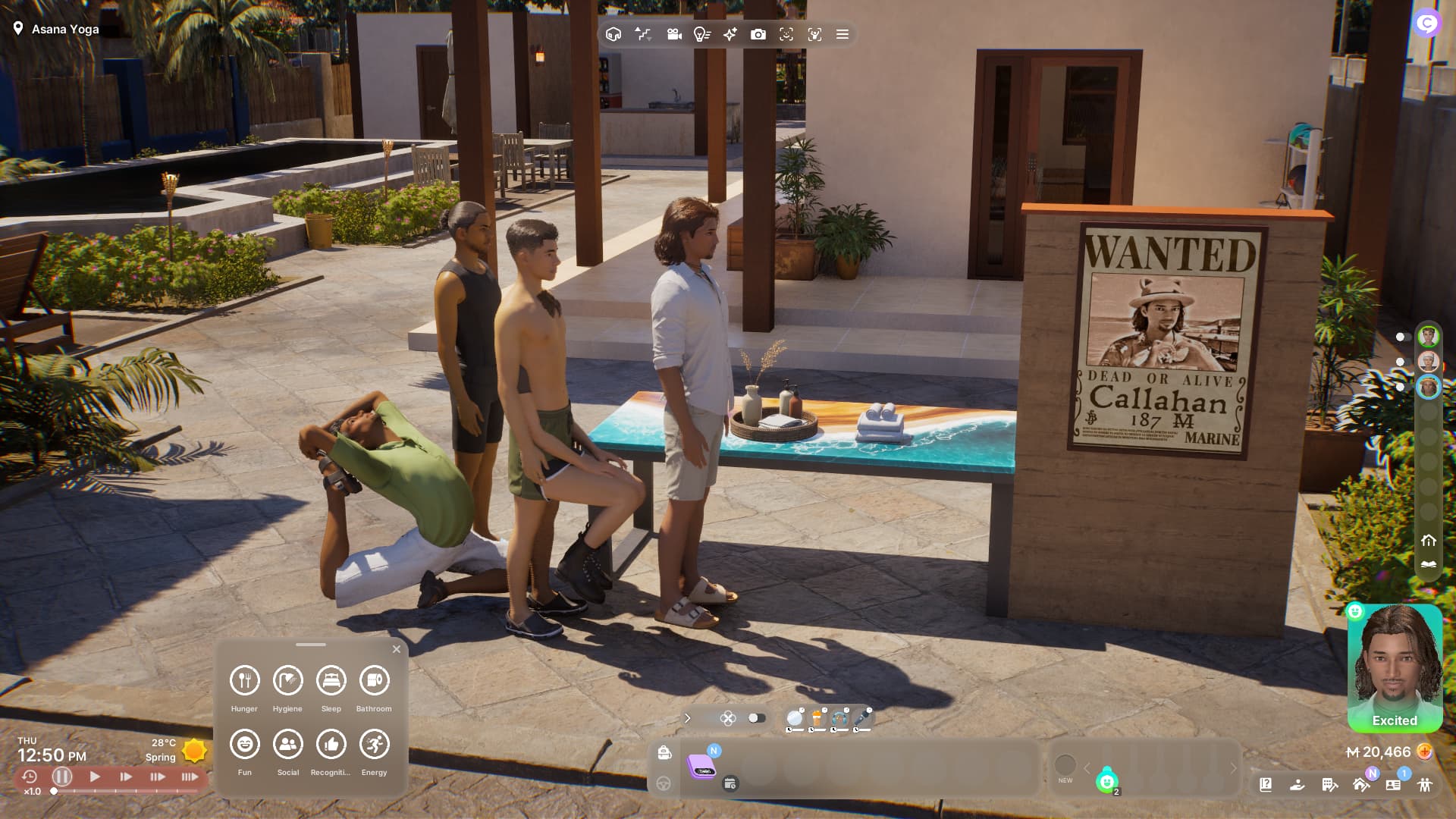
All three of them were sitting outside of the house, I went to build mode and added this book shelf and placed a plant on it, when I went back to live mode, Jack was teleported away and Ji Ho and Jeb were still sitting there. Jack was the active Zoi.
Earlier, they were just teleported to the border of the lot, but that’s the third time they end up far away from home.
Edit: I’m trying to reproduce, but I fail. Sometimes he gets teleported away and somtimes not -.-
I thought it was because I placed objects with ALT, but no.
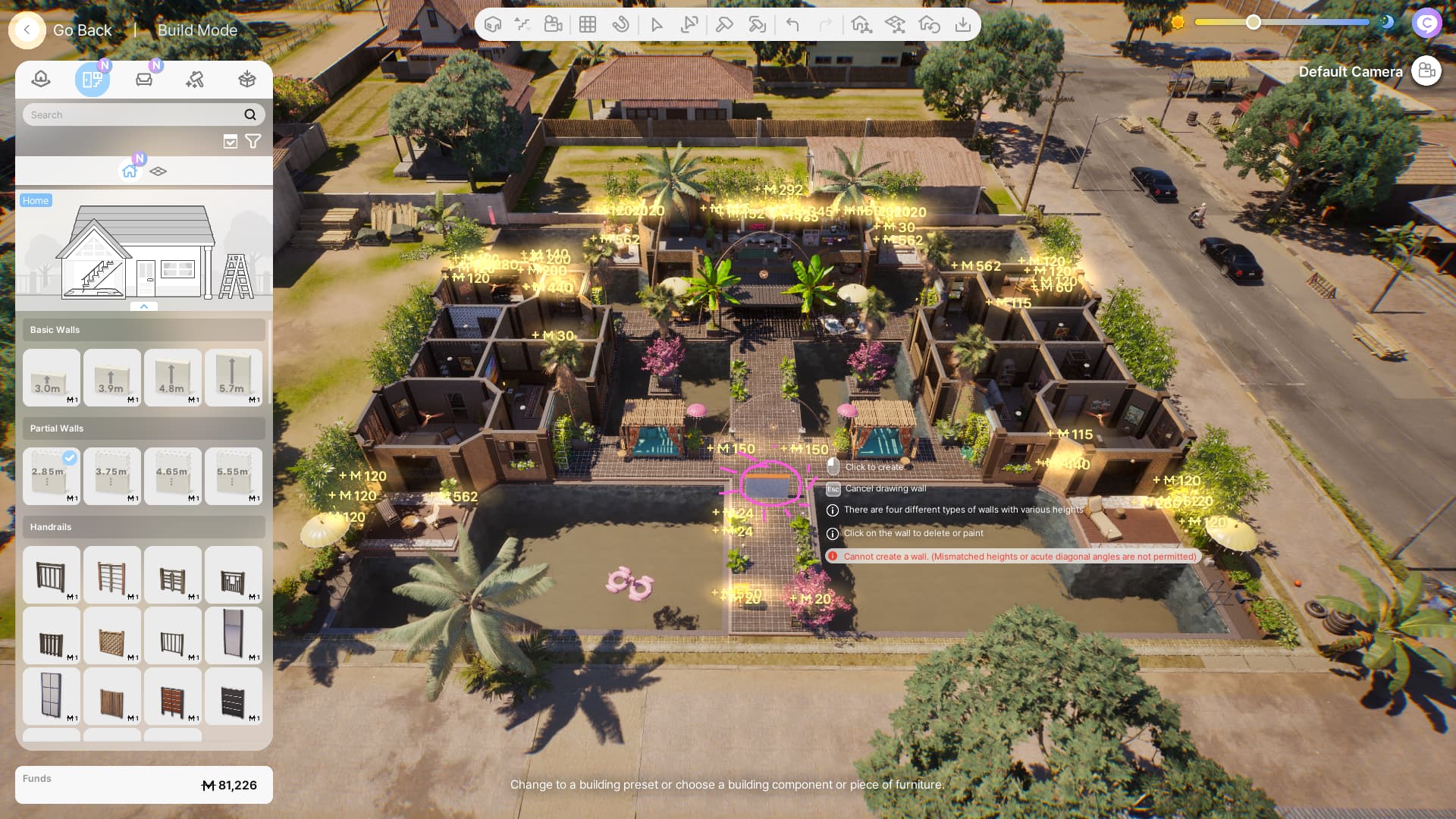
Here I just added this wall and a table and all the Zois at the lot got teleported away from what they were just doing.
I think placing objects with ALT is very buggy atm.
There is also the issue with the oven and frigde doors and that objects placed on platforms get deleted when placing/deleting walls or platforms.
Hm, interesting. This doesn’t happen to me when placing objects unless I edit something that a Zoi is using, is going to use, or a part of the house that may disrupt their current simulation, whether alt-placing or not.
Zoi’s getting teleported after editing major parts of the house, like walls, is probably intended, though, since Zoi are invisible/deactivated when Build Mode is activated, so that they don’t accidentally get stuck in new walls or other things.
The only time this has happened to me, aside from when I edit objects Zois “attached” to, is when I edited a major part of a Zoi’s house to add a pool and rebuild their backyard.
I just deleted a roof over a platform the game has placed again (I still don’t know why this even happens) and my Zois were in a complete area of the house. And I still haven’t figured out what causes this. When I try to recreate it, it doesn’t happen again. Sometimes they just get teleported to the end of the lot and somtimes to a random place in the world. I wish there was a cheat that would turn this off, I don’t care if my Zois get trapped, I just teleport them out if necessary.
Please let me know if this is not the appropiate place for this reply: I just wanted to say that this bug has happened to me also! My zoi was on their home lot, doing some actions in front of the mirror, I opened build/buy to reposition an easel , and upon my return to live mod, my zoi was teleported different lot.
The map played on is Cahaya, home lot is Senyap, lot teleported to is a non playable home near the Air Asri House. I cant tell which lots are in your pictures, perhaps there is a commonality here?
The teleportation cancelled all actions lined up for the zoi, and added a new action - perhaps you experienced the same?
The only other issue ‘bug’/issue I encounter is being unable to turn off free will (its off in the options menu but the zoi still autonomously does things) - perhaps the two are linked.
edit: I forgot, I moved the easel because it was glitched out - unable to click on the easel to paint.
edit2:Entered buy mode again to move and delete the easel which teleported by zoi again (to the same place).
Tried entering build/buy mode again, moved a different object (a bin), and no teleportation!
Not sure if any of this is useful to you or anyone else but I hope it helps you at least identifiy some commonalities to recreate the conditions for this bug.
Yes, I’ve had this issue, though I assumed it was deliberate on the devs’ part to stop Zois getting accidentally trapped. It only seems to happen in Build mode when I edit part of a building, like the walls or roof, but it’s possible the same thing would happen if you delete a piece of furniture that Zois are using.
I have not had this happen to me, my zois only seem to teleport when I remove or change something close to their location, and then they only go as far as the edge of the lot.
On the other hand, I recently started a 6 zoi household (about time I tested multi-zoi gameplay), and when I placed a new house, none of my zois were teleported further than the edge of the lot, in spite of the fact that half of them were in the previous house, interacting with objects.
In fact, I couldn’t even find one of my guys for several hours, and he turned out to be stuck between a fence and some trees in the garden. So if anything, I appear to have the opposite issue…
Now it happened without me even been in build mode.
I switched to another household and when I returned, Ji Ho got teleported away.
He was standing in the yard next to the fish tanks, no platform around.
I think this is the answer, really. I thought of it as an intended feature as well. I have tried to reproduce it but it only seems to happen when I changed something big from in buildmode, like walls, roofs, etc, o like you said, when you edit or delete an object that the zoi is using, so as to not overlap or cause some unexpected issue.
Can confirm it happened when I deleted a bed a Zoi was sleeping in (he wouldn’t wake up for some reason and it was the only way I could get him out). I think this is intended behaviour, not a bug.
Hi everyone(@here),
Thanks so much for all your detailed reports and discussions on this topic!
As several of you have already pointed out, the behavior you’ve described is actually intended by design:
When a wall or object is placed in a position that overlaps with Zoi, Zoi is automatically moved to the lot entrance to prevent getting stuck, since it may be difficult to move out manually with the WASD keys.
Similarly, when an object is removed, Zoi may also be moved to avoid any abnormal interaction animations that could occur if Zoi remains in the same position after the object is deleted.
We hope this helps clarify the situation while you continue building and decorating your home!
@LennyOgg — regarding the teleportation issue you mentioned when switching between households, that one still needs further investigation.
If possible, could you please share your save file where the issue occurs? That would really help us look into it more closely.
Thanks again, everyone, for your cooperation and for helping us improve inZOI!
Can we please have a cheat or an option so this doesn’t happen?
Also for objects on/near platforms that get deleted when I build a wall.
This is so annoying and random.
I just deleted the christmas garlands from the wall and the two Zois from the upper floor got teleported outside, the others, that have been in the room where the objects got deleted, not.
How am I supposed to explain this to my poor Zois?
Look what happened:
Officer Rodriguez: “Hands up and freeze!”
Kiyoshi: “What?”
Officer Rodriguez: “It’s obvious you’ve been holding guns. And you are hovering in the air. That’s use of forbidden magic.”
Kiyoshi: “What? No! Last thing I remember was we’ve been spraying the beds and the next second - pouf - we’re standing … eh … hovering here.”
Officer Rodriguez: “Sounds like a big fat lie to me. Where are those spray bottles then?”
Kiyoshi: “I don’t know! They just vanished!”
Officer Rodriguez: “I think you rather let the guns vanish - and the victim.”
Kiyoshi: “Victim? We are no wizards and there were no guns - and no victim!”
Officer Rodriguez: “If there’s no magic involved - then tell me, why is your accomplice wearing his winter clothes - with no snow on them?”
Kiyoshi: “I don’t know! He didn’t even wear them before!”
Officer Rodriguez: “Because he’s a powerful wizard! I’ve heard enough of your nonsense, you’re arrested.”
I just changed something in the Kitchen and none of my Zois have been there.
Now I have to maneuver them back inside again, redress them and queue all their actions all over again.
Can this please be fixed? Or can we please get a cheat for this or an option to stop it?
Then I drew the temporary wall to delete the crafted chairs in the kitchen to make them useable again (another bug that never gets fixed I guess), and even though I removed the wall for obvious reasons before I went back to live mode, ALL Zois got teleported outside, even though none of them was is the kitchen. This is so annoying, I already mentioned this in the posts above. Also that each and every object I placed with alt gets deleted too
(can we have a copy option for the game version too?)


 Please share the date, error message, or screenshots/videos for issue verification.