I don’t use Mods, my mod folder is empty, but there is also a ModSave Folder under Documents, in which are constantly new folders generated ö.ö
What exactly is this folder for?
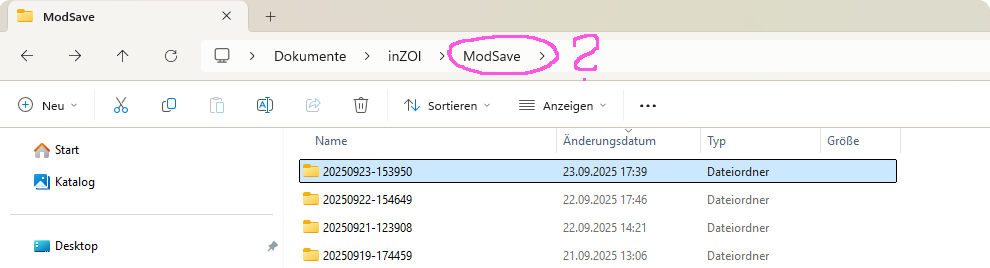
I think I found the answer.
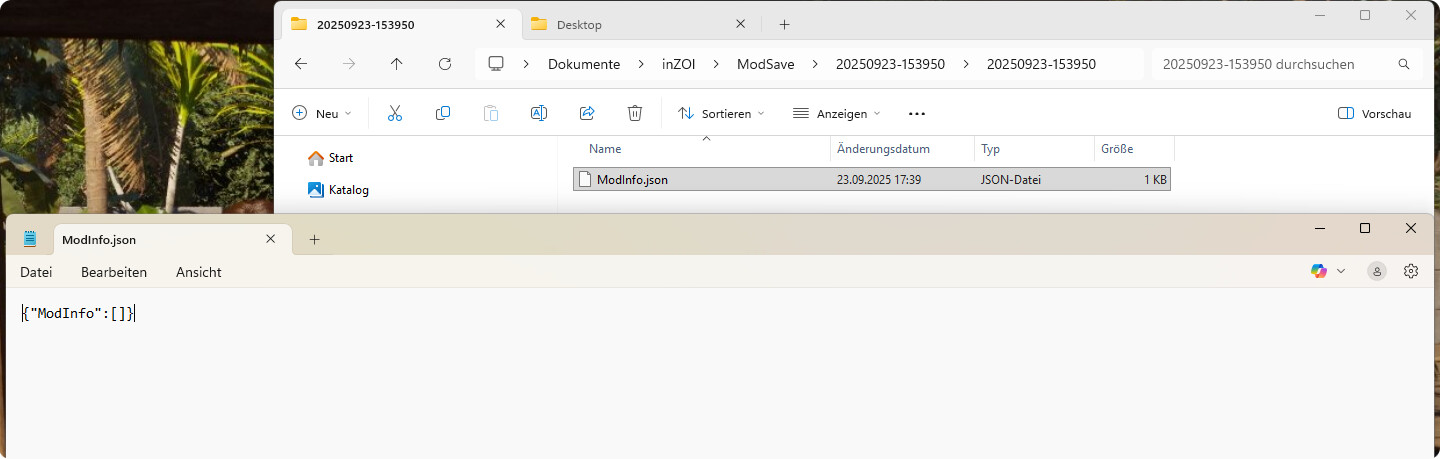
It’s probably for if we send our files to the support so they can see which mods we use without having to load the save and/or they are not in the mods folder under documents but in the BlueClient folder (?)
So if one uses mods, they are listed there. I don’t use any, so there is nothing (?)
(If someone who uses mods might want to confirm this plz?)
Maybe it’s a way that helps to trace down mods when we try to find out if they cause issues?
It must be good for something, right? ^^’
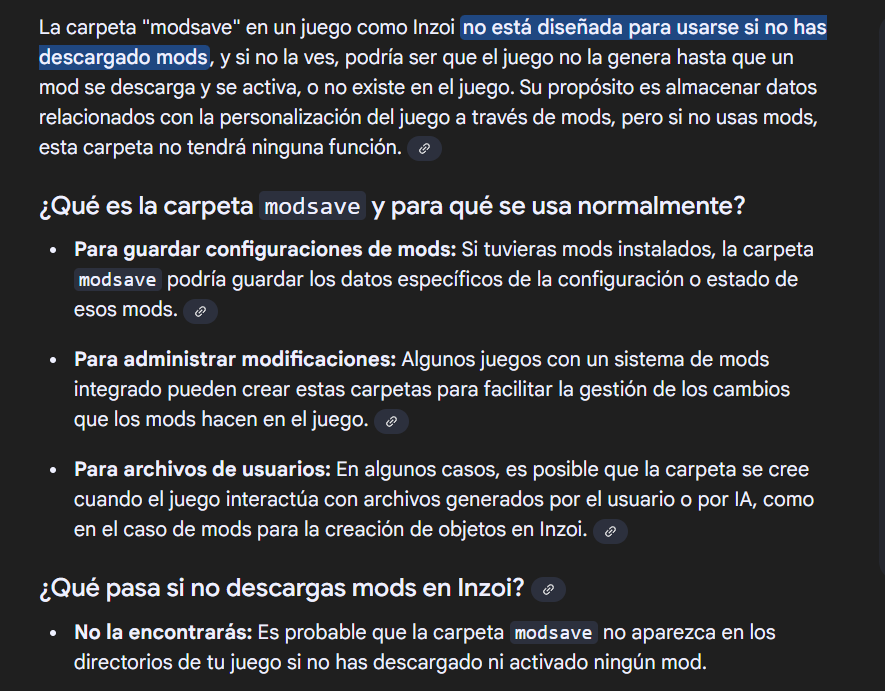
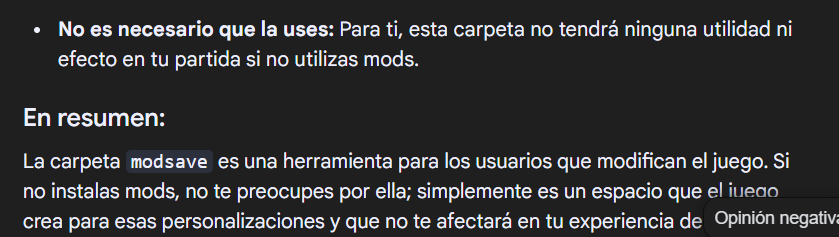
Hi! I know what I’m about to send is written in Spanish, but it’s the language I’m fluent in 
Look, this is what I got when I checked it and it might help you too.
The same thing happens to me. What I did download was a hairstyle and after the latest update I couldn’t use it anymore. I tried with other mods to see if it was the hairstyle and no, I couldn’t use any more (Although to be honest I prefer playing without mods, I did it out of simple curiosity) so I deleted them and I still have those folders.
I cannot understand the Spanish above, in case it says as below.
I think the ModSave folder is to identify the mods installed and used in a particular save file. Thus when that save file is loaded, only the mods in that save file are loaded, and not any other mods which may have been installed in later saves, or disabled in this particular save.
The ModInfo.json lists the Mods names and versions, inside a folder named same as the game save folder.
Thank you, I’ll mark this as solution since I can’t translate the text above because it’s in a picture. I hope that’s ok for you, @Cathaysa ?
That looks good to me. Look, I managed to translate it

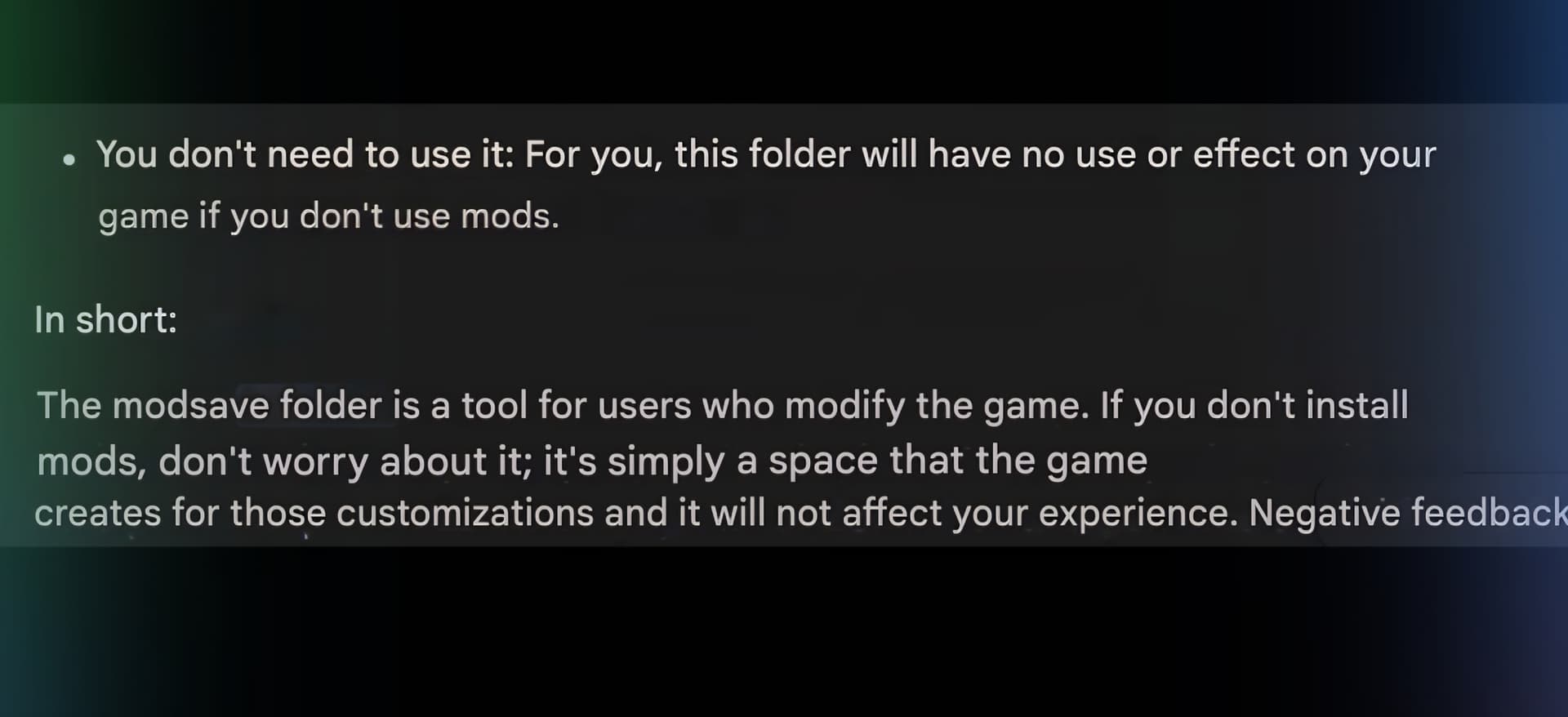
Thank you! I really wonder why inZOI constantly creates these folders though. I don’t even use mods. I’ll try to delete them and see if there are going to be created new ones o.o
The truth is, yes, it feels like the game is going to get saturated.
According to my Google search, these are the reasons: 
"Inzoi creates folders even if you don’t use mods, likely to save your games and settings or to store user-generated content (UGC) files you create within the game, such as community creations. The game uses these folders to organize and access your progress and customizations, even if you haven’t installed any external mods.
Reasons why Inzoi may create folders:
Save games: Inzoi creates folders to automatically save your game progress, allowing you to pick up where you left off.
Configuration files: Folders are generated to store game settings and preferences, such as display or control settings.
User-generated content (UGC): If the game has a feature to create and save custom content (such as buildings, characters, or clothing), folders will be created to store these creations.
Cache and temporary data: The game may create folders to store temporary or cache files that aid in game performance."