I think this happens since the August update that the shadow/light ‘border’ became super blurry for me.
I tried with ‘Realistic Shadows’ on and off, but this setting had no effects on this issue.
Is there a was to avoid this blurryness in the graphic settings (or else)?
I posted screenshots of my current graphic settings → in this post
Example:
While it’s extremely blurry during the day, it’s perfectly sharp at night
And this only happens when there is light and shadow.
Here is a daylight pic with no sunlight and it’s also sharp
I don’t have this issue in my game, so here are my Graphics settings. I believe we have the same graphics card, but a different processor.
Try matching some of your settings to mine to see if that improves it (Note: I used to use TSR for Super Resolution, but I tried out DLAA 2x when it became available).
Maybe do it one by one for anything that’s different, if you want to pinpoint which settings made the difference, if there is any difference at all:

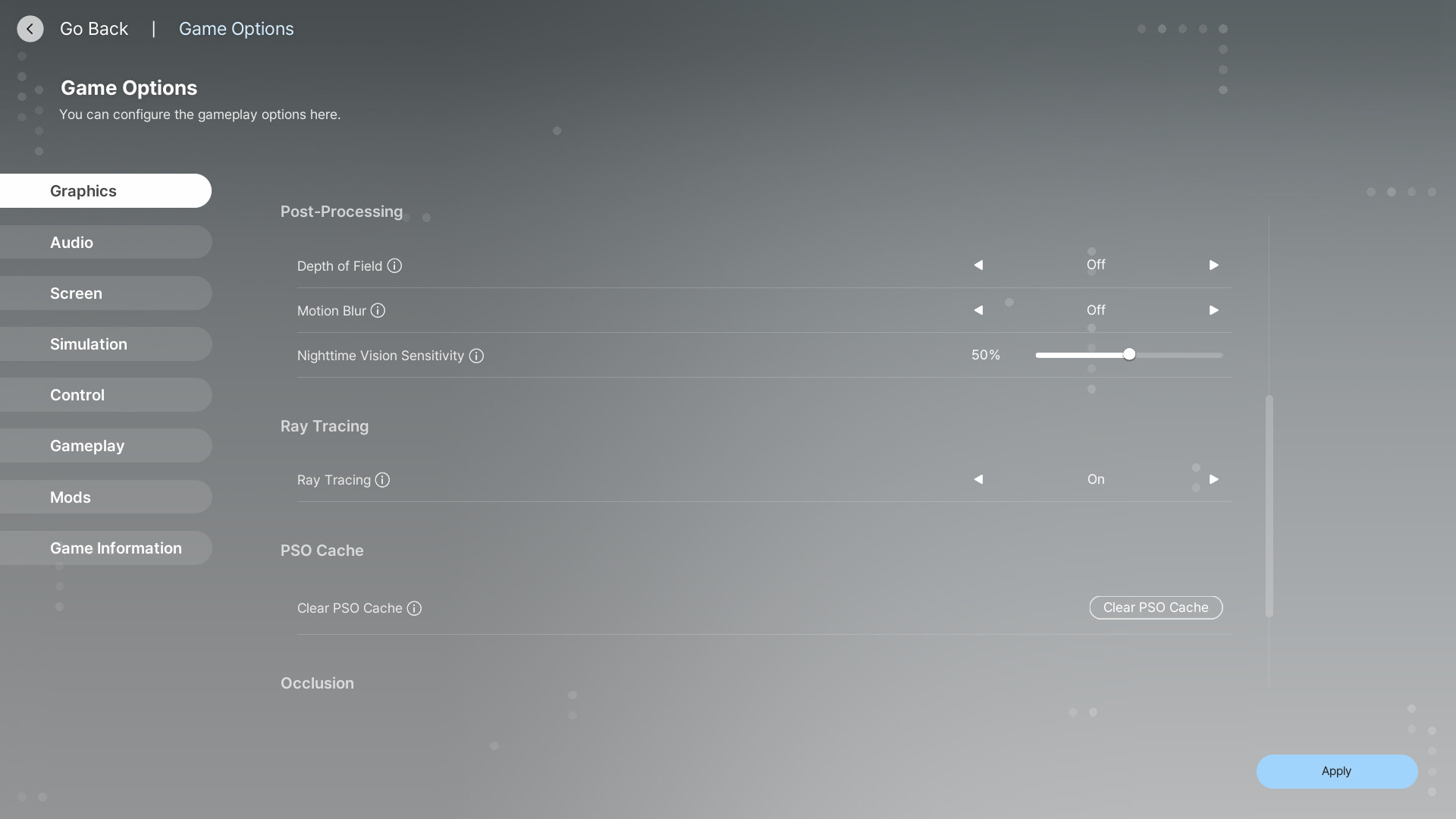
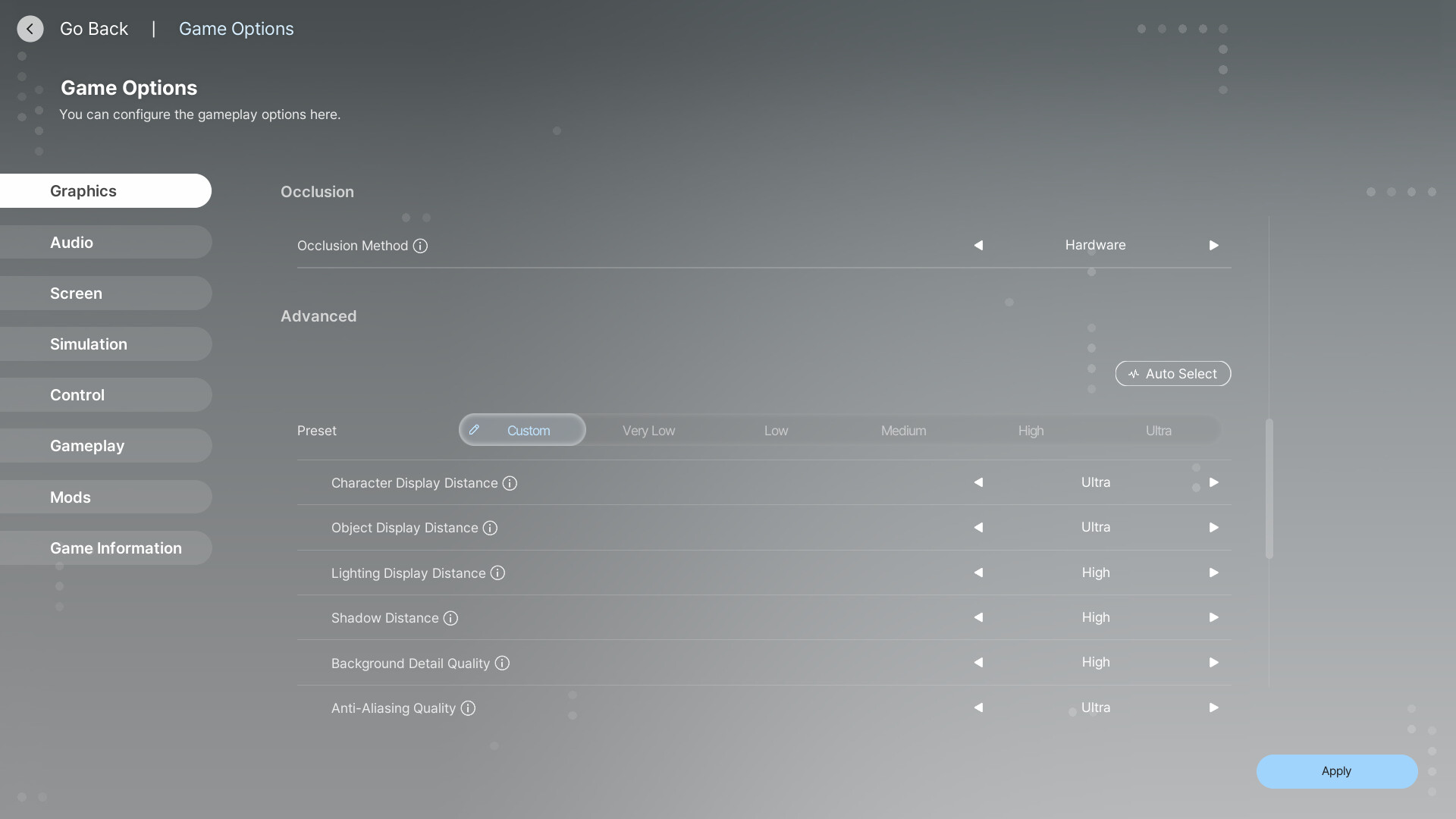
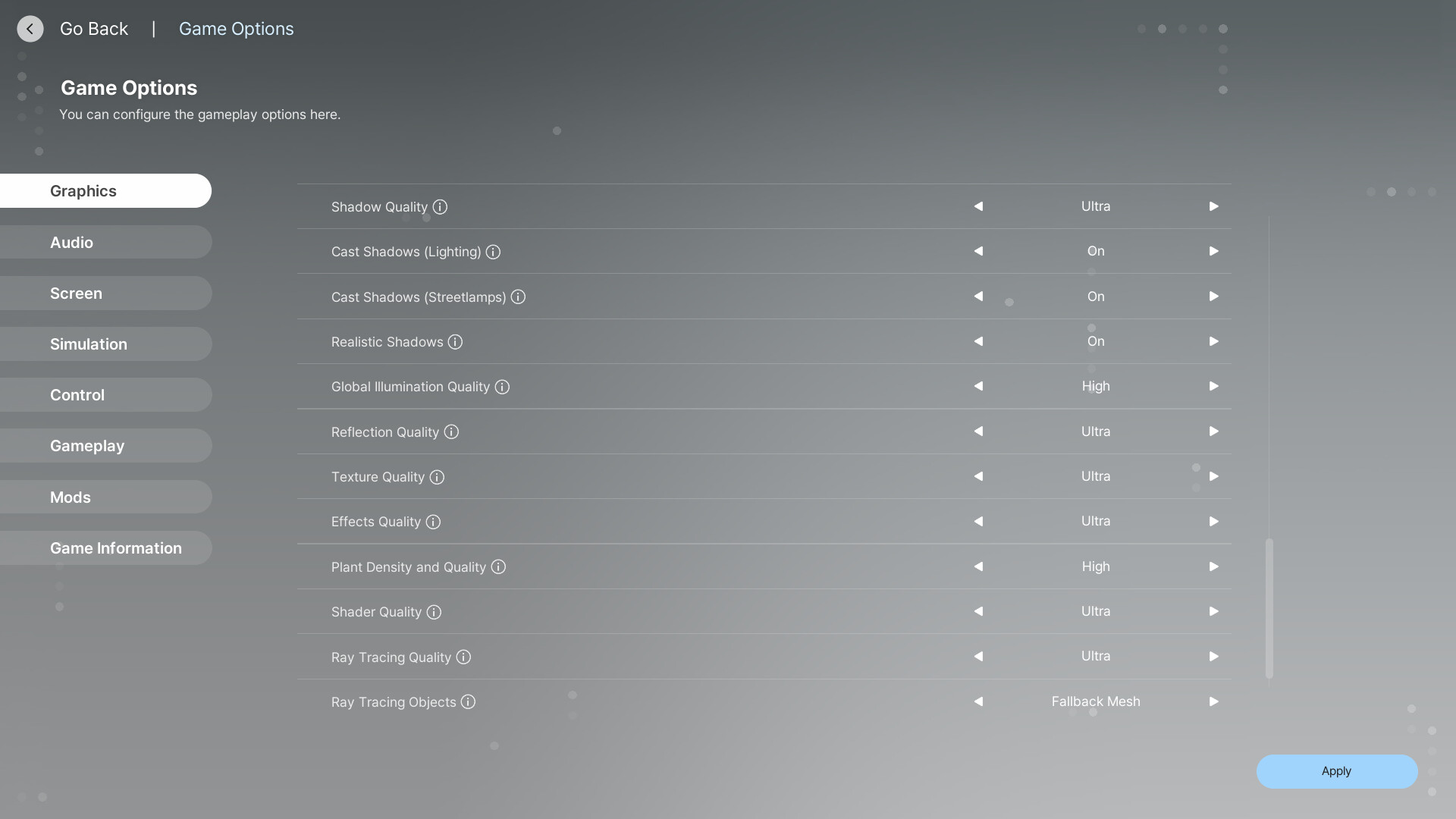
Awesome! Thank you so much, I’ll try that and let you know!
No problem  I hope it helps.
I’m still adjusting, what I don’t understand is why my ‘Ray Tracing Quality’ setting always jumps back to low, when I can play on high/ultry with the other settings.
I already set this on higher a few times before, but when I check back, it’s on low again ö.ö
Is your Nvidia App somehow automatically optimizing your game?
I also noticed your Ray Tracing option (below “Post-Processing” and above “PSO Cache” section) is set to “Off” in your previous setting screenshots, so make sure that is turned ON.
Side Question: Is 45 FPS your PC’s max, or do you have it set to that for a reason?
After the changes it’s still happening.
The hair, for example, looks much sharper
And the lights flickering got far worse ö.ö
I’ll have to investigate further into this.
FPS max is 144, I changed it, I don’t remeber if I set it to that.
Ray Tracing also turned on now
So outside also, there are sharp and blurry shadows
When Vlad stands in a blurry shadow:
Vlad in a sharp shadow (the grass shadow on his pants is sharp)
With the same settings
I first noticed that at Cahaya
Oh no  Okay, more brainstorming. Apologies if it’s a lot:
Does this happen when your Zoi is outside or just inside? Have you tried clicking the lightbulb button to see if that makes any difference? Are the lights inside the house casting shadows, or is shadow casting off?
It could also be that your i5 Processor/CPU might not be handling lighting very well after whatever graphical upgrades the game got in August.
If it’s related to GPU, is your computer running on iGPU + dGPU, or is it solely running on dGPU (better option for gaming, but it drains your battery faster if you’re on a laptop)? Do you have a MUX switch?
I remember my game had these issues when I first started, but switching to TSR fixed it, so I’m not sure why this is happening to you.
outside and inside, cast shadows on the light bulbs is on
If it’s the processor, why are some shadows sharp (like the grass) and others not?
Do we have different kind of shadows now? I have to check my screenshots from before the update later.
The following you wrote, I don’t have a clue about at all ^^’
‘If it’s related to GPU, is your computer running on iGPU + dGPU, or is it solely running on dGPU (better option for gaming, but it drains your battery faster if you’re on a laptop)? Do you have a MUX switch?’
Do your tree shadows, for example, look sharp?
Here are my Nvidia Control Panel settings for InZoi as well:
Ah thank you! I’ll check that later and let you know!
I’m not sure about that, but it could be how the game processes shadows for optimization, so the entire game isn’t using up so much power at once.
Yes, shadows and lighting got a massive update in Inzoi after the August update for sure. They showcased that in the livestream, other streamers showed it off, and I’ve noticed a big difference myself.
Sorry, that is a complicated topic.
I can explain, but first let me ask an easier question: What type of computer do you have (the exact model)?
I will check the shadows in my game right now and then get back with you.
Thank you so much for taking the time to help 
It’s not urgent, It was just so annoying because I couldn’t get that screenshot right for the story ^^’
These are my settings:
Hardware Specifications & Operating System:
Intel(R) Core i5-14600KF (3.50 GHz)
32,0 GB RAM
64-Bit
Windows 11
Grafics Card: NVIDIA GeForce RTX 4060
It’s no problem at all.
Let me clarify:
Is your PC a laptop? If so, what is the name of it and what is your model?
Is it a Desktop (tower) PC? If so, is it a specific model or was it built?
Letting me know the name and model of your PC will help, if it’s not custom built.
No laptop, it’s a desktop and it was built by Megaport (I told them what components I wanted and they built it and send it to me)
Okay, if you have a desktop, then you don’t have to worry about MUX Switches or anything. Your PC should automatically use dGPU, which is good.
I am testing the shadows thing now and will report back shortly


