EDIT: I put the following solution from  this post on top of it all, from what I’ve seen this helped in most of the cases
This is from a service notice at the offial discord server:
The game keeps crashing immediately after launch. What should I do?
We’ve been receiving some reports about the game crashing right after starting up, and we’re very sorry for the inconvenience. In many cases this issue can be resolved by clearing your existing cache. Please try the following steps :
Exit the game completely
Find the following folders and delete all removable files. (If some files can’t be deleted, simply skip them.)
[AMD]
    C:\Users\username\AppData\Local\AMD\DxCache
    C:\Users\username\AppData\LocalLow\AMD\DxCache
    C:\Users\username\AppData\Local\D3DSCache
    C:\Users\username\AppData\Local\AMD\DxcCache

[NVidia]
    C:\Users\username\AppData\Local\NVIDIA\DXCache
    C:\Users\username\AppData\LocalLow\NVIDIA\PerDriverVersion\DXCache
    C:\Users\username\AppDta\LocalLow\NVIDIA\DXCache
    C:\Users\username\AppData\Local\D3DSCache

[Intel]
    C:\Users\username\AppData\LocalLow\Intel\ShaderCache
    C:\Users\username\AppData\Local\D3DSCache

    (Replace “username” with your own Windows account name.)
 Please note: This will clear the shader cache for all your games, not just inZOI. The first time you launch any game afterward, it may take longer to load as the cache rebuilds.
If the issue persists, please share details of your experience on the newly opened inZOI Forum or contact us directly through our Support Page so we can assist you further.
We hope this helps clear things up, and we truly appreciate your patience and continued support.
Thank you,
The inZOI Team
3 Likes
New Service Notice:
Hello Creators,
We’d like to share some important information about common error reports and Mac support.
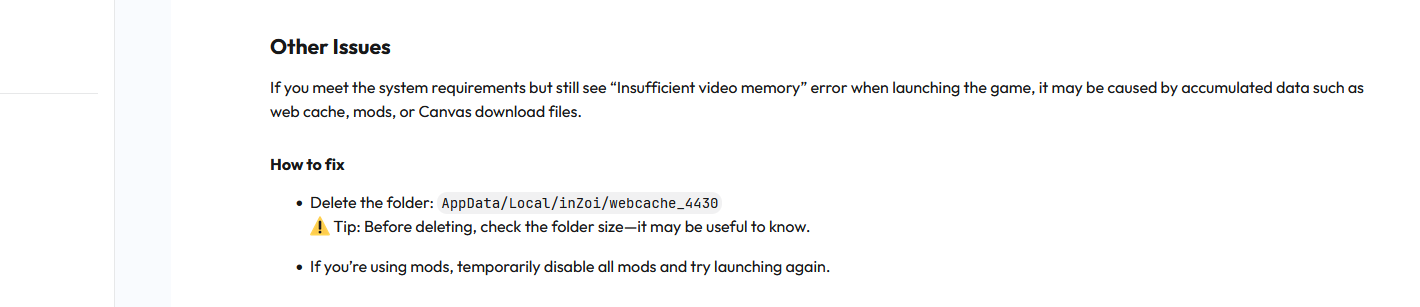
1. “Insufficient video memory” error when launching the game
If you meet the system requirements but still see this error, it may be caused by accumulated data such as web cache, mods, or Canvas download files.
How to fix
- Delete the folder: AppData/Local/inZoi/webcache_4430
 Tip: Before deleting, check the folder size—it may be useful to know.
- If you’re using mods, temporarily disable all mods and try launching again.
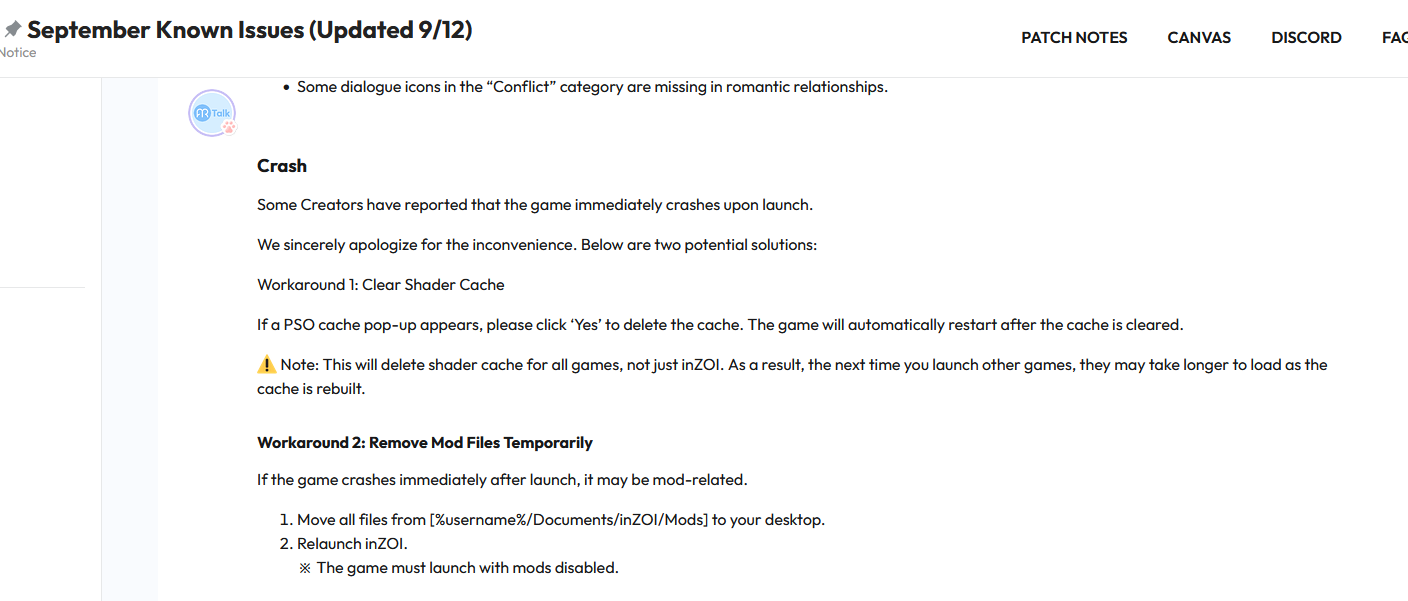
2. Crash immediately after launch
Some of you have reported crashes right after starting the game. We’ve identified two possible solutions:
How to fix
- Option 1: Clear Shader Cache
- If a PSO cache pop-up appears, please click ‘Yes’ to delete the cache. The game will automatically restart after the cache is cleared.
- Note: This will delete shader cache for all games, not just inZOI. As a result, the next time you launch other games, they may take longer to load as the cache is rebuilt.
- Option 2: Remove Mod Files Temporarily
- Move all files from %username%/Documents/inZOI/Mods to another location (e.g., Desktop).
- Then, relaunch inZOI with all mods fully disabled.
The inZOI Team continues to monitor all issues reported by creators. [Click here to view Known Issues]
If you encounter a problem not yet listed, please let us know through the Bug Reports board. We’ll continue monitoring and improving your experience with inZOI.
Thank you,
The inZOI Team
2 Likes
I did all that but sadly after 10 minutes of playing, when i had the animation when asking to be confidant to a zoi, then the game shutdown my laptop. I even turn down my graphics to medium, somehow everytime there’s an animation it always shuts my pc, i even cleaned the dust out of the fan, but crashing and shutting down still exist.
1 Like
Hey! Thank you for this notice, it saved me from literal hours of frustration and emotionally eating a whole bag of cookies! 
 So I removed my mods folder, was finally able to launch the game just to be able to disable the mods, and ever since I removed the whole folder, my game has been running perfectly smooth without a single crash so far, yay!
My question is how long is temporary in this case? When should I be able to move my mods back from Desktop to game folder and also reenable them in-game? Was I supposed to just replace after I did a fresh launch w/mods disabled?
**EDIT TO ADD:
I was getting the PSO cache popup; Game would load for a few seconds, wouldn’t go past the inZOI logo screen, then crash to desktop
1 Like
Here are two other things you can try, provided by AR_Owen in this post, the second one was marked as solution:
Quote:
- Could you please verify the integrity of game files in Steam?
- How to verify the integrity of game files:
- Launch the Steam client.
- Go to your Library.
- Right-click inZOI and select Properties.
- In the Installed Files tab, click Verify integrity of game files.
- Once the verification is complete, try launching the game again.
The second solution (that worked):
Quote:
Even if you’ve removed the mod, it’s possible that some leftover files may still remain in your system.
Could you please check the following folders:
If either folder exists, please share all remaining mod files with us by sending a Drive link.
A solution from yupyupno in this post:
Quote:
‘I seem to have resolved the issue, I have rolled back my GPU driver to 25.6.2 and the game now loads as normal.’
2 Likes
The latest tips from the new September Known Issues List:
1 Like
It’s October, and my 14th gen setup still can’t run Inzoi properly since June. They kindly suggested rolling back to a pre-December BIOS/setting, but I really can’t keep my entire rig outdated just for one game. So, I keep updating the game, I even bought new DLC, and I still can’t play it. I’ll keep waiting for the final fix without losing hope!
2 Likes
I have tried everything I can think to play my game. I click on the city I want to play and that is it. Does not load. I have not had a chance to even play the new area yet. I am at my wits end, I want to play, but can’t. Please help. I have reinstalled, installed, nothing in the inzoi folder except what is needed. No mods.
1 Like
Sorry that is happening, so very frustrating! 
When you reinstalled, did you delete all inZOI files? (or at least save elsewhere - this is what I do, created an archive for each time I do this)
If I get stuck in a loop like you are now, I remove the files noted below and do a clean install (Win 11 OS):
 FIRST: Uninstall the game properly, using typical method based on how you access inZOI
(I am sure you know but wanted to call it out  )
)
 Remove this folder: “inZOI”
(usually in User > Documents…)
…WhereeverOnYourPCItIsSaved… \Documents\inZOI
and also remove this folder (same name but diff filepath): “inZOI”
(usually in Program Files > Steam>SteamApps…)
…WhereeverOnYourPCItIsSaved… \AppData\Local\inZOI
Then do a fresh install. If you’ve already done this and it didn’t work, I am so sorry 
Either way, however it works, I hope it does work for you soon! 
1 Like
@LennyOgg  completely missed your reply.
1 Like